The attendance roll has been decommissioned in nForma. It has been enhanced and can now be found in the new nPortal. Follow the bellow steps to access the new and improved roll.
Click on the "Portal" button on the nForma home page. If you have not logged in already, it will request a reset password. Insert your new password based off of the password criteria. Use your school email address and newly created password to login. Once in, bookmark the new portal url. This will be where you will need to go from now on.
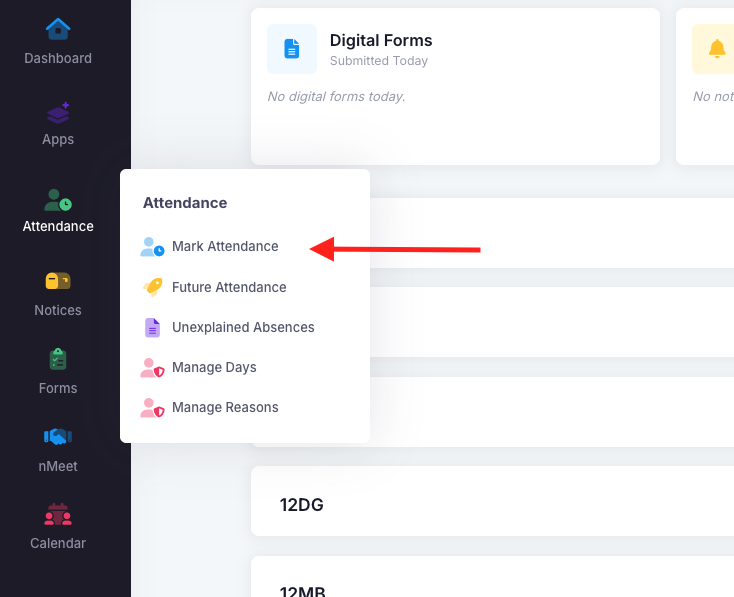
Click the "Attendance" module and then "Mark Attendance".
If you are a home group teacher assigned to a class, you will default to your class. If you are not assigned to a class, use the class dropdown to select the required class.
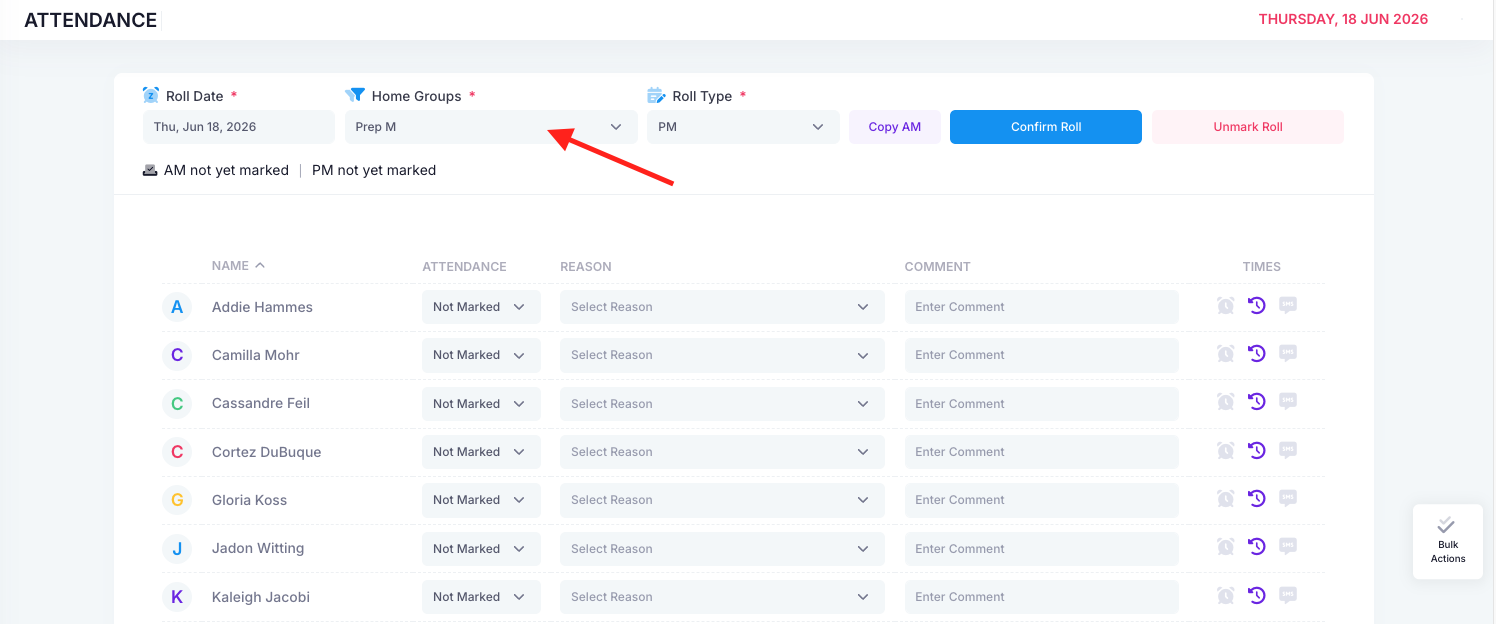
For further information regarding the new nForma roll and its features, refer to the link below.
Was this article helpful?
That’s Great!
Thank you for your feedback
Sorry! We couldn't be helpful
Thank you for your feedback
Feedback sent
We appreciate your effort and will try to fix the article