Admin are able to list a whole school day closure in advance. To do that, follow the document "Whole School Closure Day".
Unfortunately, nForma does not allow for year level closure days through the calendar. To mark a year level as a closure day, the roll will need to be marked.
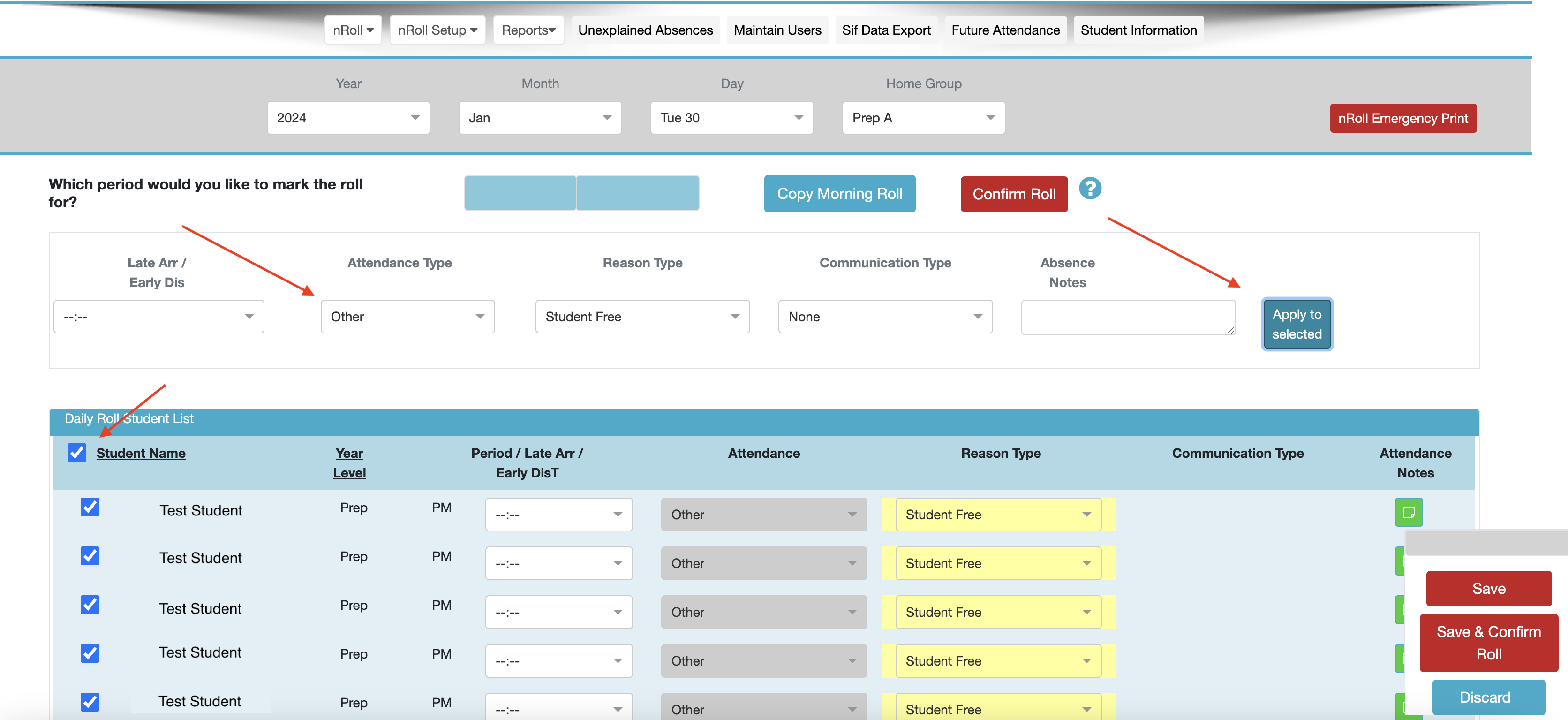
To mark a class as absent due to a closure, go into "nRoll" and select the required home group. Once there, click the tick box next to "Student Name". Change the "Attendance Type" to "Other". By doing this, the student will not have an absent count to their semester report. Select the wanted reason type and then "Apply to selected". "Save and Confirm the roll".
Was this article helpful?
That’s Great!
Thank you for your feedback
Sorry! We couldn't be helpful
Thank you for your feedback
Feedback sent
We appreciate your effort and will try to fix the article