The APP can be used to mark the roll for the following circumstances:
- full day absence
- late arrival to the school
- extended leave e.g. holiday
- Open the nForma For Parents APP
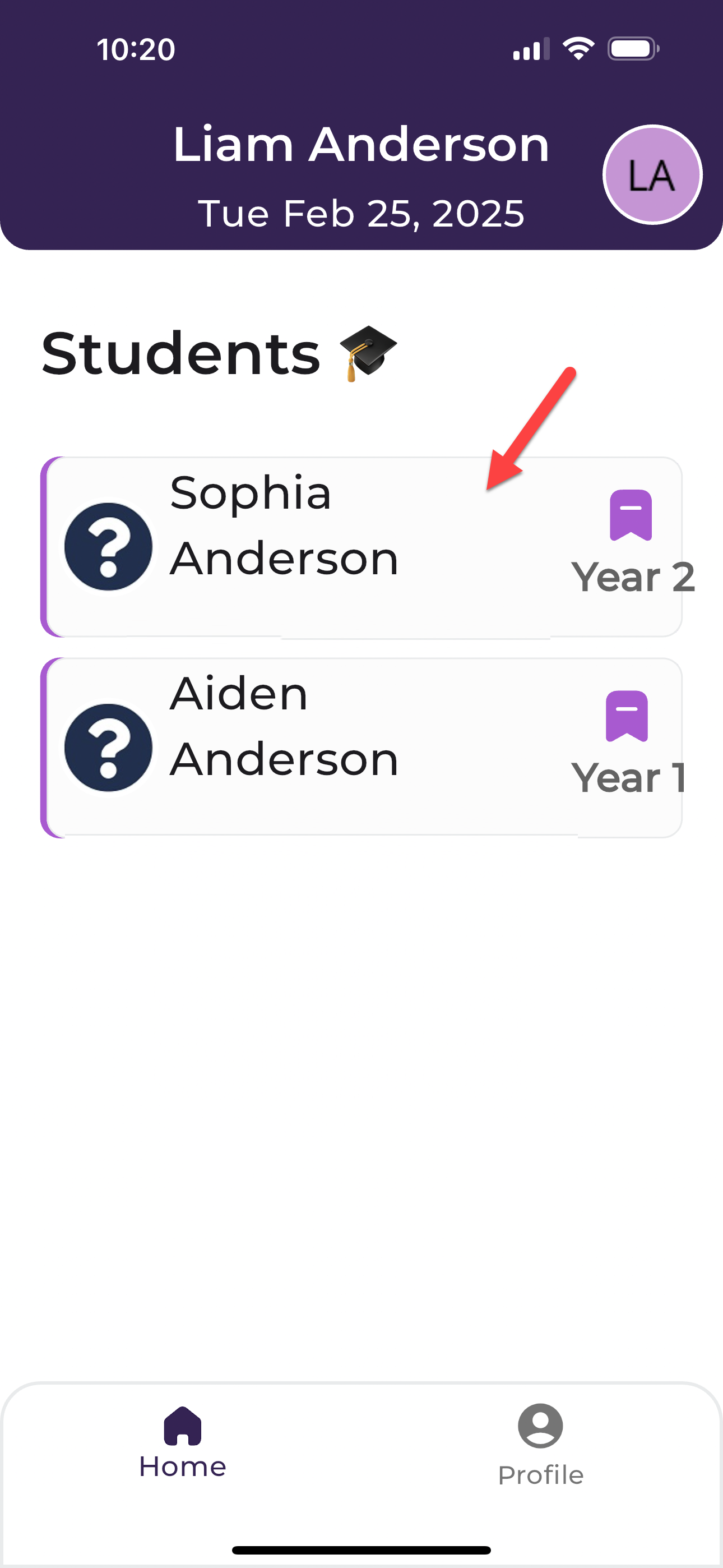
- Select your child
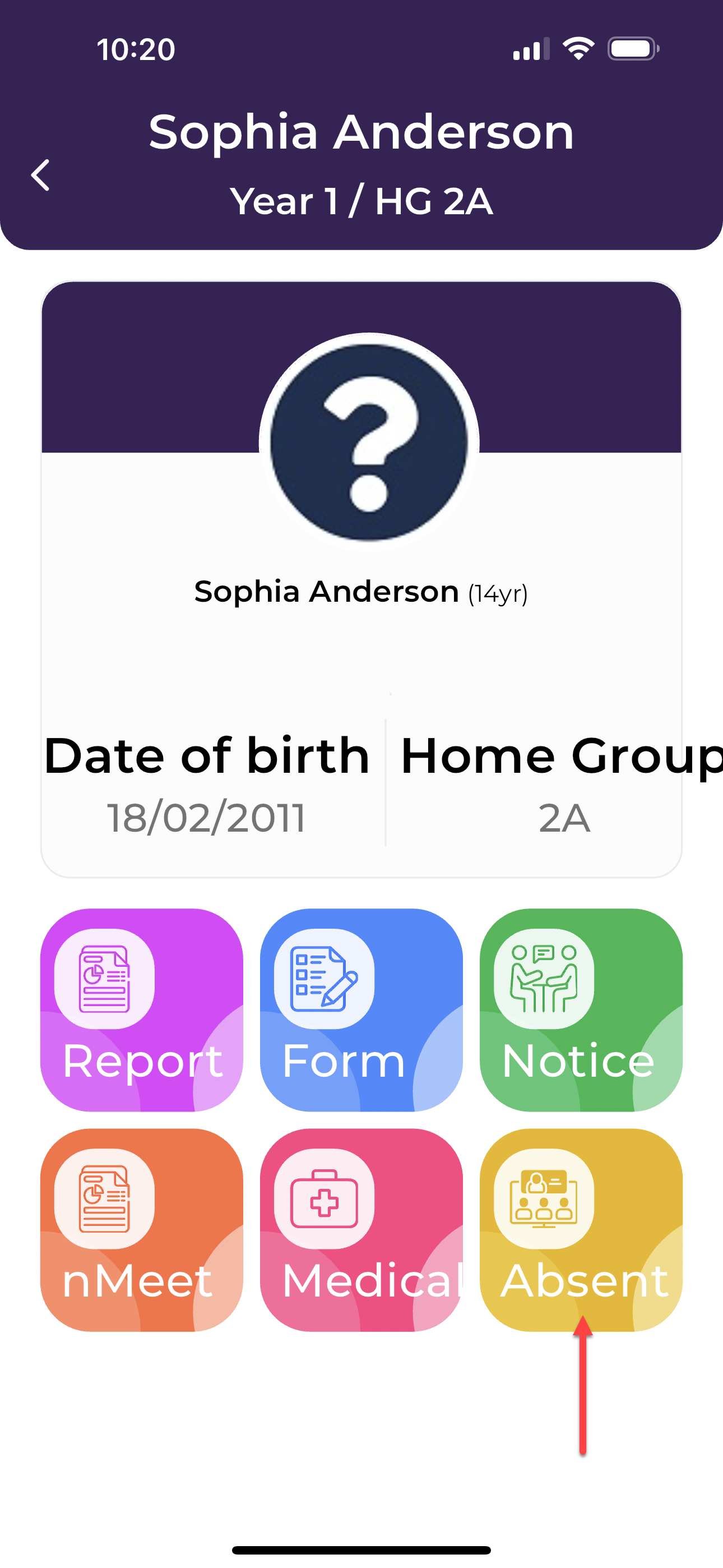
- Select ABSENT
- Enter the relevant absent type and date
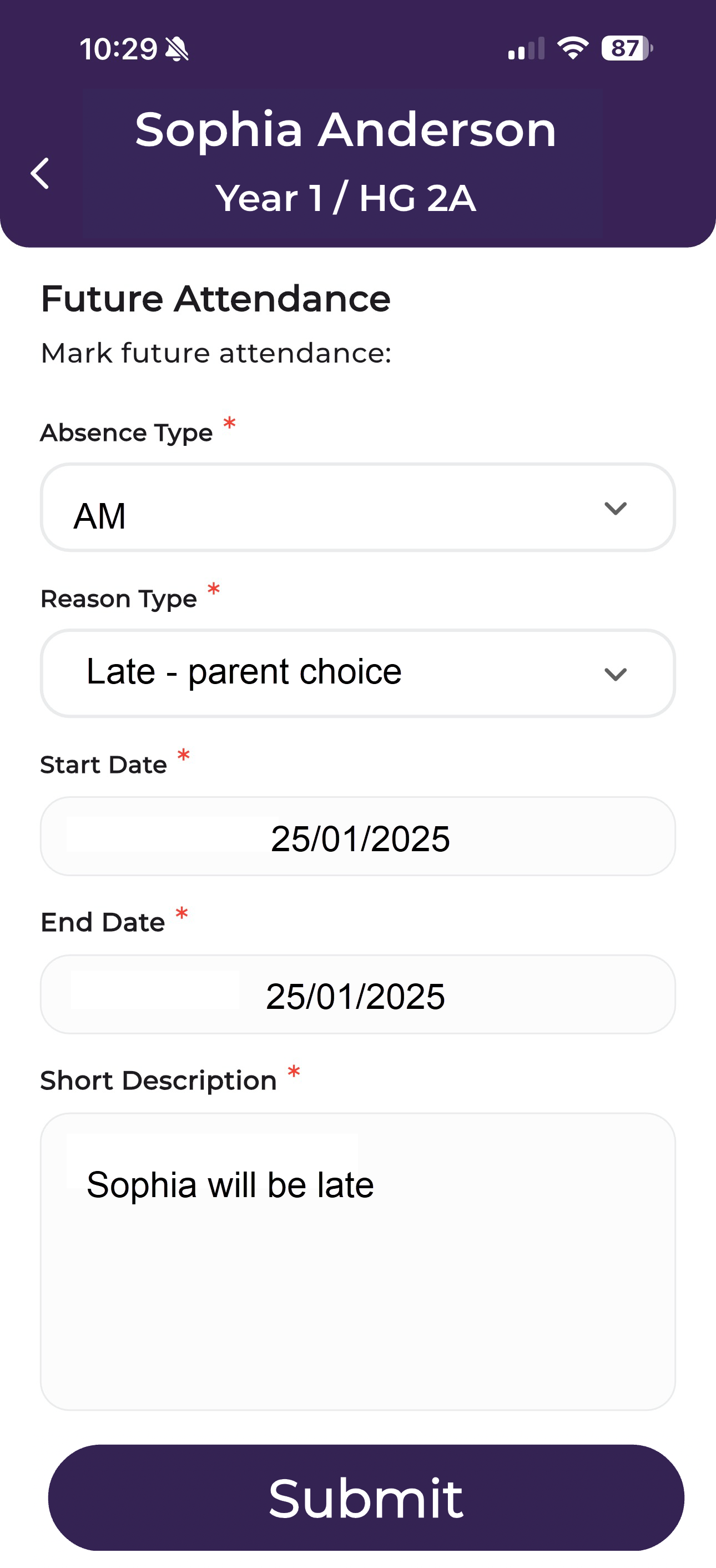
- SUBMIT to save
Was this article helpful?
That’s Great!
Thank you for your feedback
Sorry! We couldn't be helpful
Thank you for your feedback
Feedback sent
We appreciate your effort and will try to fix the article