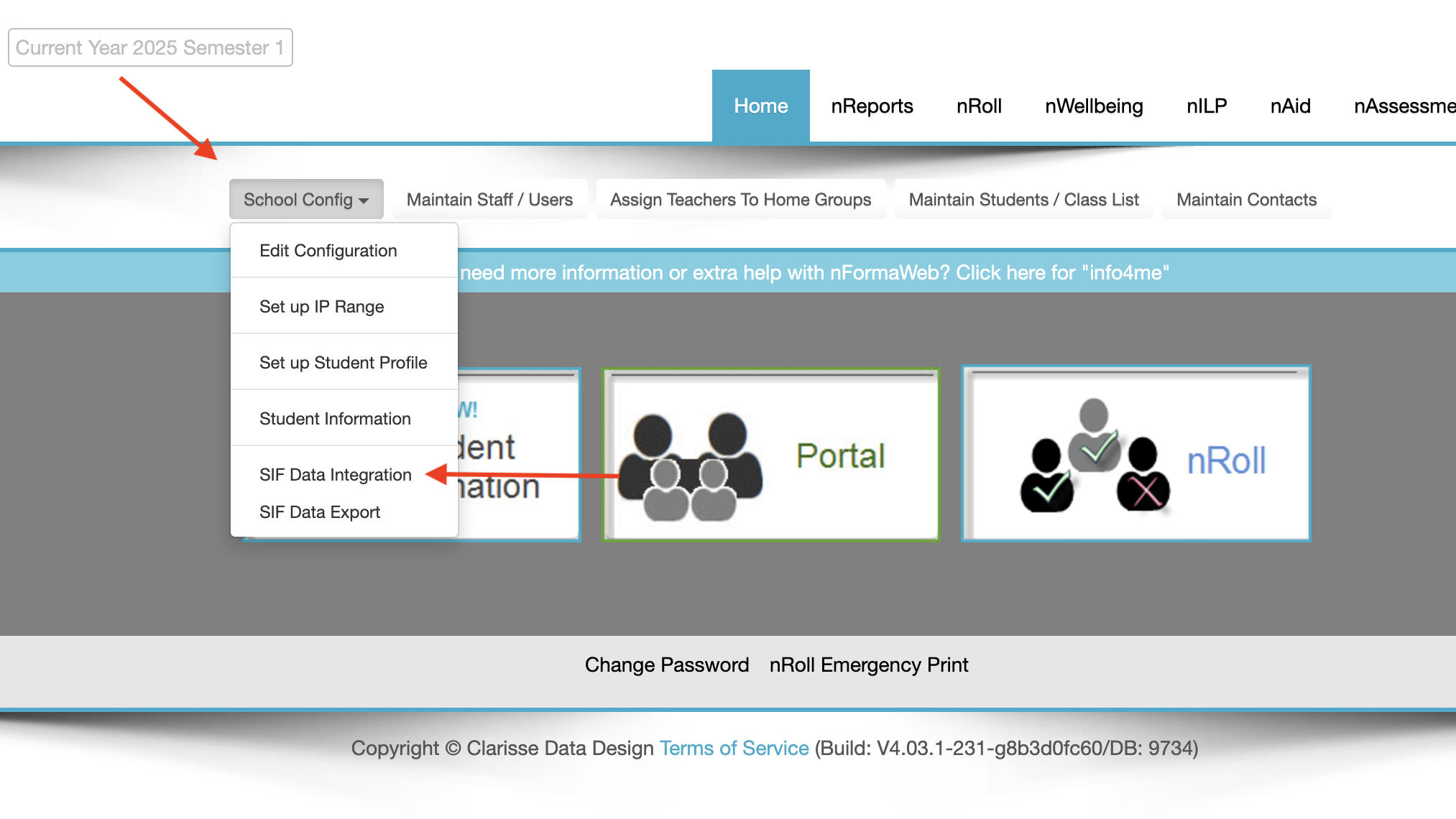
E-SIS and nForma sync overnight if there are no data conflicts. However, before the data can come into nForma, the changes need to be confirmed. To do this, go into "School Config" then "Sif Data Integration".
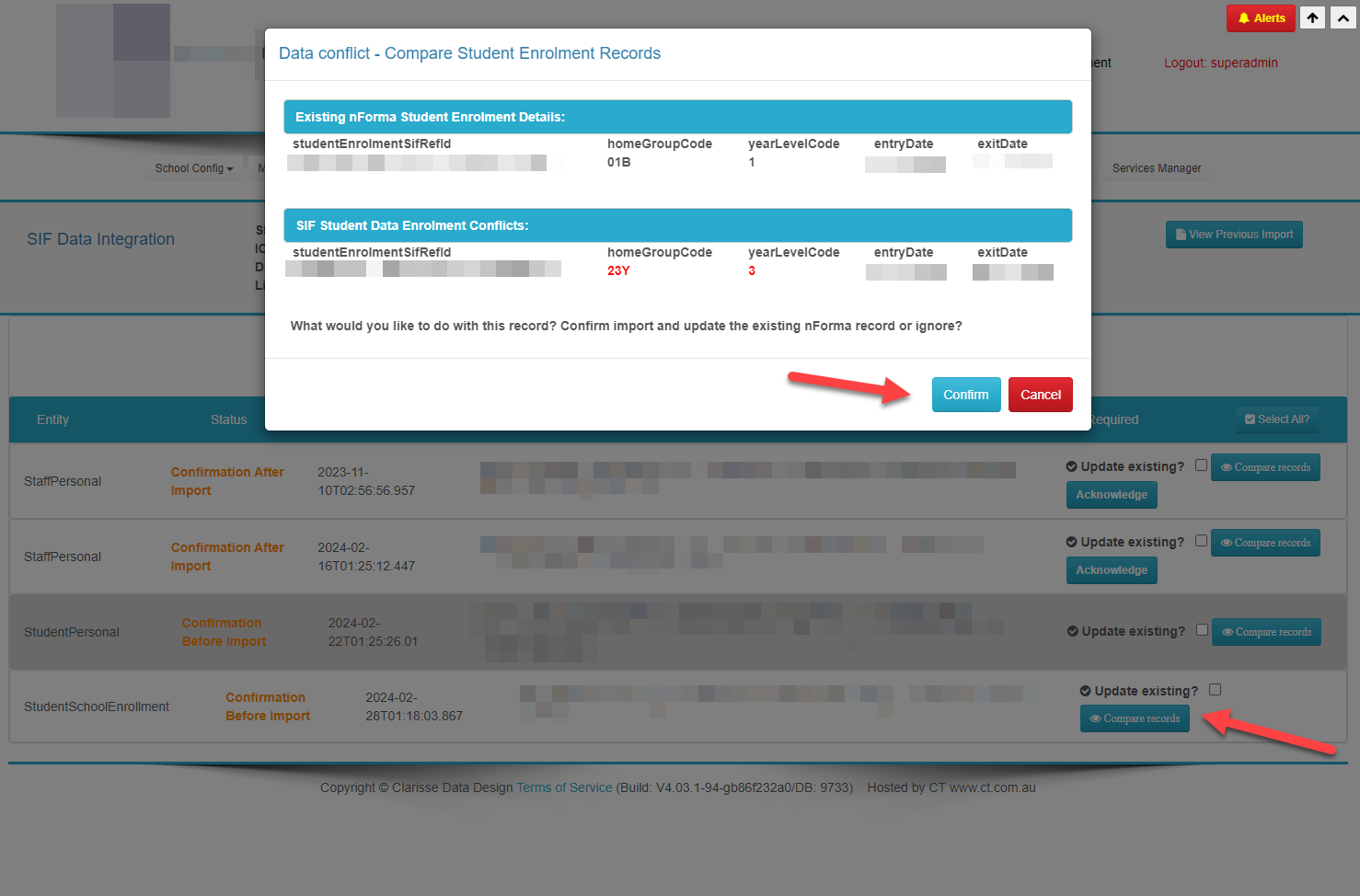
 Once here, you will see all the changes that require confirming. You can filter the results to the entity type you are after (e.g. student enrolments). To confirm a change, you need to click on “compare records”. In there, the red writing is what is coming from E-SIS. If you are happy with that, then all you need to do is click confirm.
Was this article helpful?
That’s Great!
Thank you for your feedback
Sorry! We couldn't be helpful
Thank you for your feedback
Feedback sent
We appreciate your effort and will try to fix the article