E-SIS and nForma sync every night. If the User was created the day before and they are still not appearing, there are a couple of checks that can be done.
1. Go into "Maintain Staff/Users"
2. Change the Filter by status to "Inactive"

3. Check to see if the user is appearing there
If the User is appearing there
1. First Click "+ Create User"
2. Fill in details
3. Click on the red circle and activate user
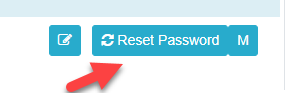
4. You may need to reset their password again if it does not send through
If the User is not appearing there
1. Go into "School Config" -> "Sif Data Integration"
2. Filter by entity "StaffPersonal"
3. If the staff member appears, there will be an error with the import that needs confirming
- New teachers to the school will normally be activated in ICON on the next pay run, sometime in February
- If the staff member is still not appearing, get into contact with a member of our support team and they will investigate the issue for you.
Was this article helpful?
That’s Great!
Thank you for your feedback
Sorry! We couldn't be helpful
Thank you for your feedback
Feedback sent
We appreciate your effort and will try to fix the article