All users must be created in eSIS prior to setting up in nForma.
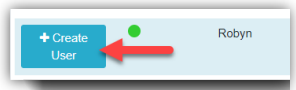
1. If an active user, who was downloaded from eSIS, is new to nForma, you will see the “Create User” button in "Maintain Staff/Users".
2. Add a nForma username and role to their profile.
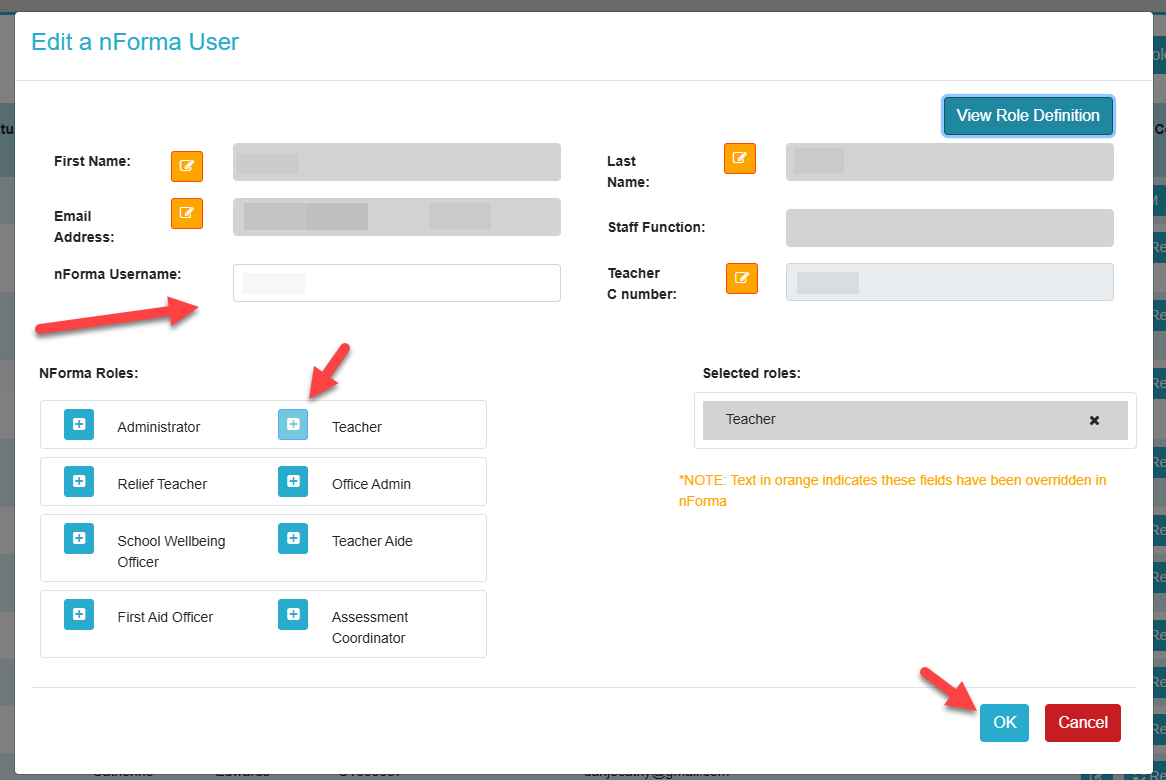
3. Once done, Save.
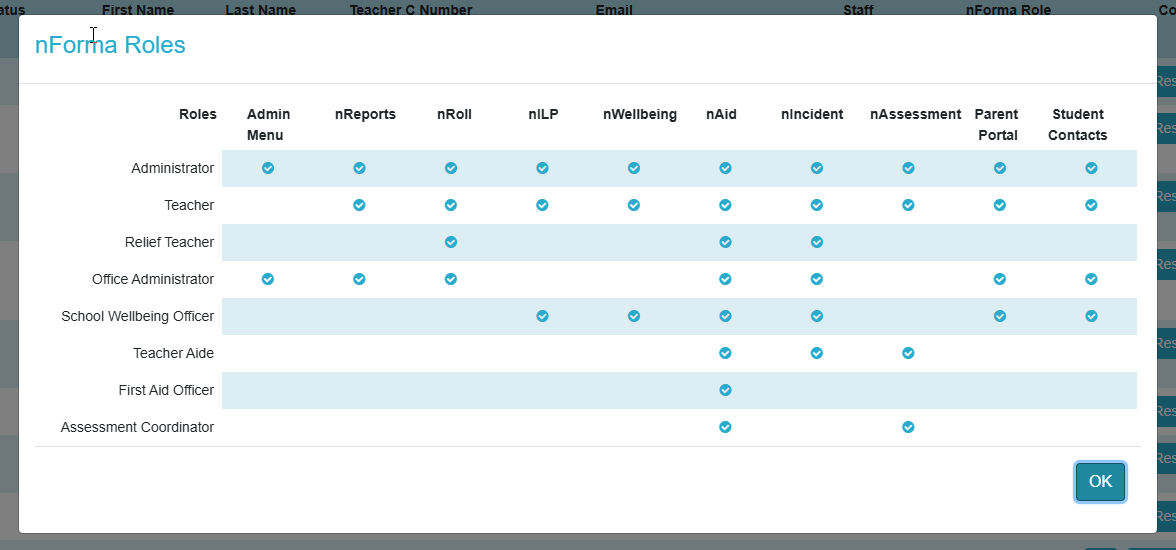
4. If you are unsure of what each role entitles, click on the "View Role Definition" button.
Was this article helpful?
That’s Great!
Thank you for your feedback
Sorry! We couldn't be helpful
Thank you for your feedback
Feedback sent
We appreciate your effort and will try to fix the article