The nForma portal will now allow schools to upload their parents for the following year prior to the nForma roll over. To do this, you will need to receive the export from ICON first.
To retrieve the export in ICON: Go to student -> student crystal reports -> search nforma
If the Future parents list has already been rolled over (usually this happens around the 14th Nov), you can still extract a CSV. Use the example file below (Future Parent Contact.csv) to view the columns required.
Once you have retrieved your export, open it and check that you only have MOTHER and FATHER listed.
Do NOT include other relationship, otherwise it will give access of the student info to the relatives. It they exist, remove them from the list.
Upload it to nForma via the Portal "Secure Upload" button (Apps > School > School Details). The nForma team will then upload the document for you. By default, a user must have a email address and mobile number to be imported successfully. If they do not have either field, they will fail to import.
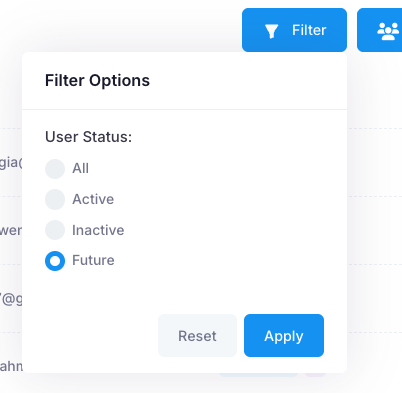
Once imported, you will be able to see all users by going into "Apps" > "Users" > "Parents". There, click on the blue "Filter" button and change the filter to "Future". All parents who have children listed as "Future" will be displayed here.
Below is a PDF that you can send to these parents relating to logging into the desktop portal.
The future parents will be connected to two portal modules, Notices and Forms. You will be able to send Forms and Notices to these groups. You can also create custom groups with the future students.
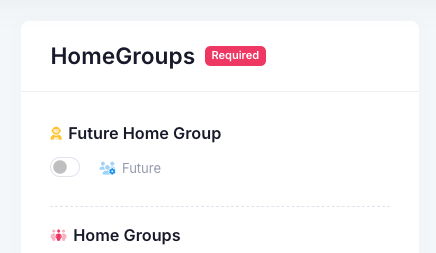
In order to send a form or notice to your future parents, create the item and then tick the "Future" option. Note that the group will contain all parents, regardless of year level. If you want to send it to a specific year level in the future parents group, you will need to create a custom group.
Was this article helpful?
That’s Great!
Thank you for your feedback
Sorry! We couldn't be helpful
Thank you for your feedback
Feedback sent
We appreciate your effort and will try to fix the article