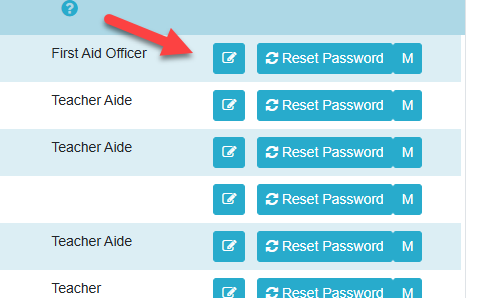
The portal only has two levels of access "Admin" and "Standard". To assign admin rights to a user in the portal, this must be done in nForma. To do this, go into "Maintain Staff/Users". From there, find the user and click on the blue edit icon.
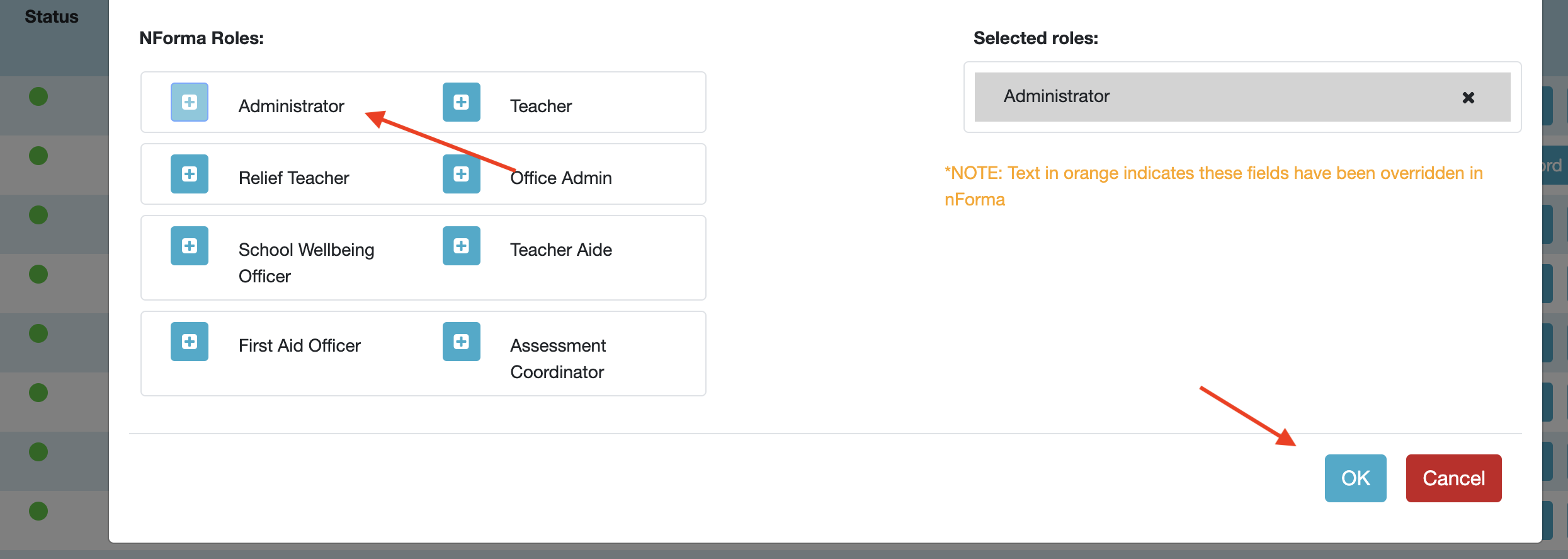
Once there, select the "Administrator" role. This is different to "Office Administrator" as Office administrator does not have the same access. Once the roles have been applied, they will sync with the portal overnight. If you want the changes to sync immediately, email our support team and they can run a manual sync for you.
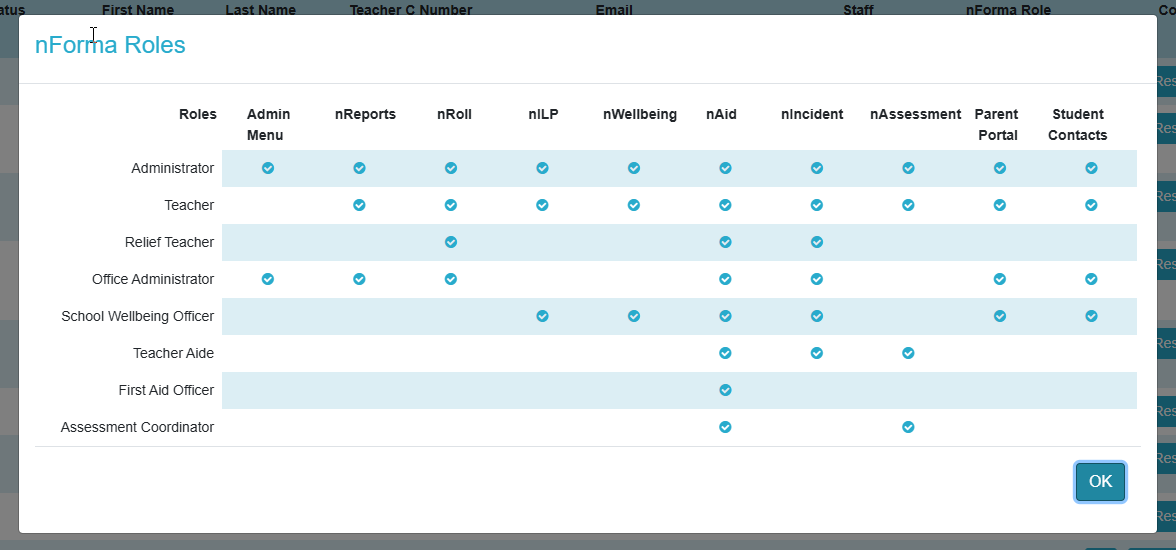
The image below explains all the different nForma roles.
Was this article helpful?
That’s Great!
Thank you for your feedback
Sorry! We couldn't be helpful
Thank you for your feedback
Feedback sent
We appreciate your effort and will try to fix the article