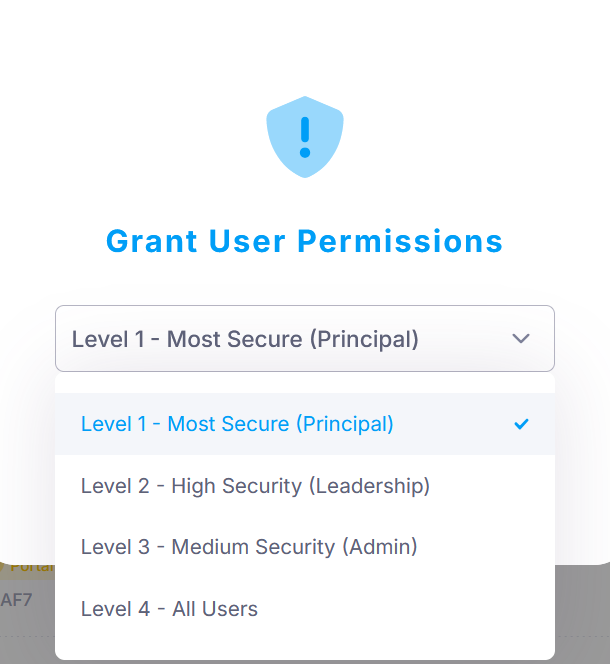
Permission levels control the level of access staff have to Wellbeing records. All staff can see that a Wellbeing record exists, but the level assigned to the staff member determines whether they can view the details or modify the record.
There are four available permission levels:
- Level 1: Principal – Most secure
- Level 2: Leadership – High security
- Level 3: Administrators – Medium security
- Level 4: All Staff Users
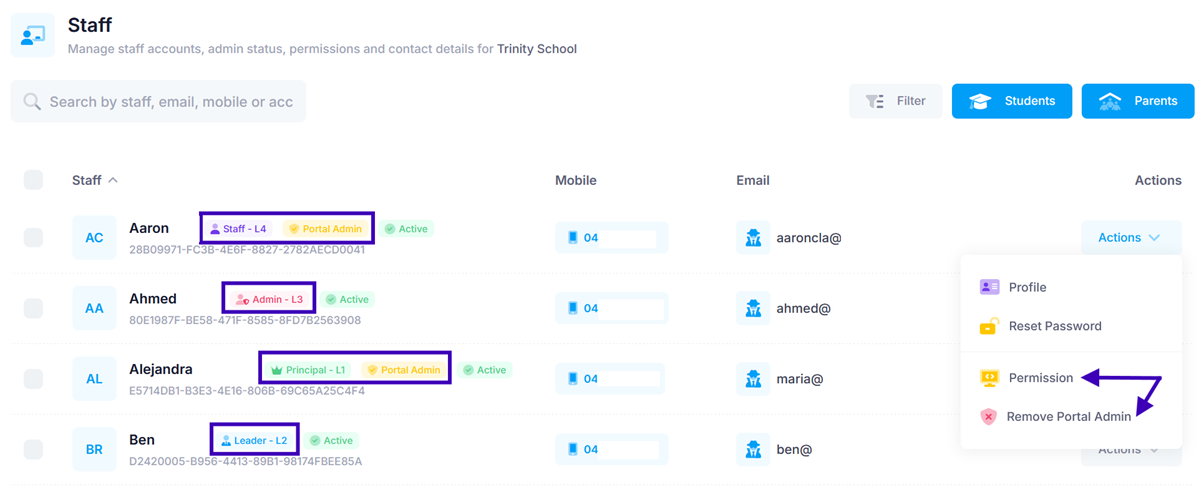
Setting a Staff Member's Permission Level
To set a staff member's access level:
- Go to Apps > Users > Staff.
- Find the relevant staff member.
- Under Actions, click Permission.
- Select the appropriate permission level for the staff member.
Portal Admin Access
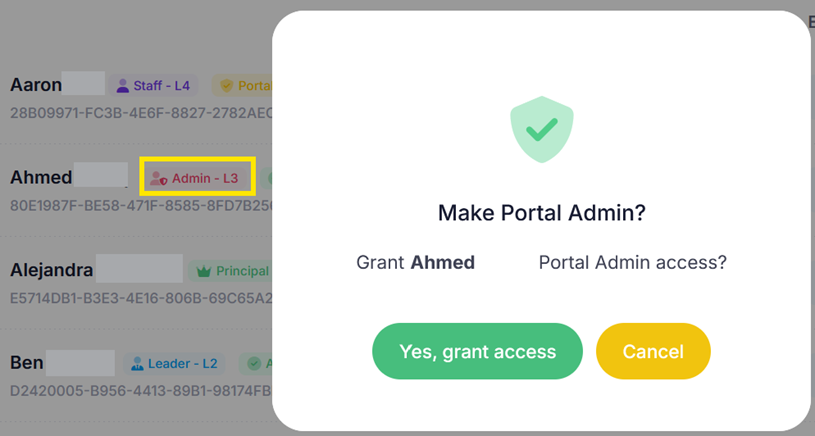
Portal Admin access is separate from the Wellbeing permission level. A staff member can be granted Portal Admin access regardless of their assigned Wellbeing permission level.
This means that being an Administrator does not automatically make a staff member a nParent Portal Admin. Similarly, a Level 4 - All Staff User can be granted Portal Admin access if another Portal Admin gives them this permission.
To grant or remove Portal Admin access:
- Go to Apps > Users > Staff.
- Find the relevant staff member.
- Under Actions, select Make/Remove Portal Admin.
Was this article helpful?
That’s Great!
Thank you for your feedback
Sorry! We couldn't be helpful
Thank you for your feedback
Feedback sent
We appreciate your effort and will try to fix the article