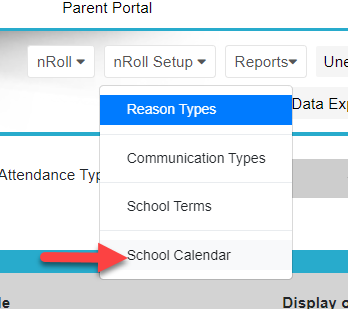
To add a school closure day, go into "nRoll". Select "nRoll Setup" and "School Calendar".
Choose the required date from the calendar. Select "non school day" and add a comment.
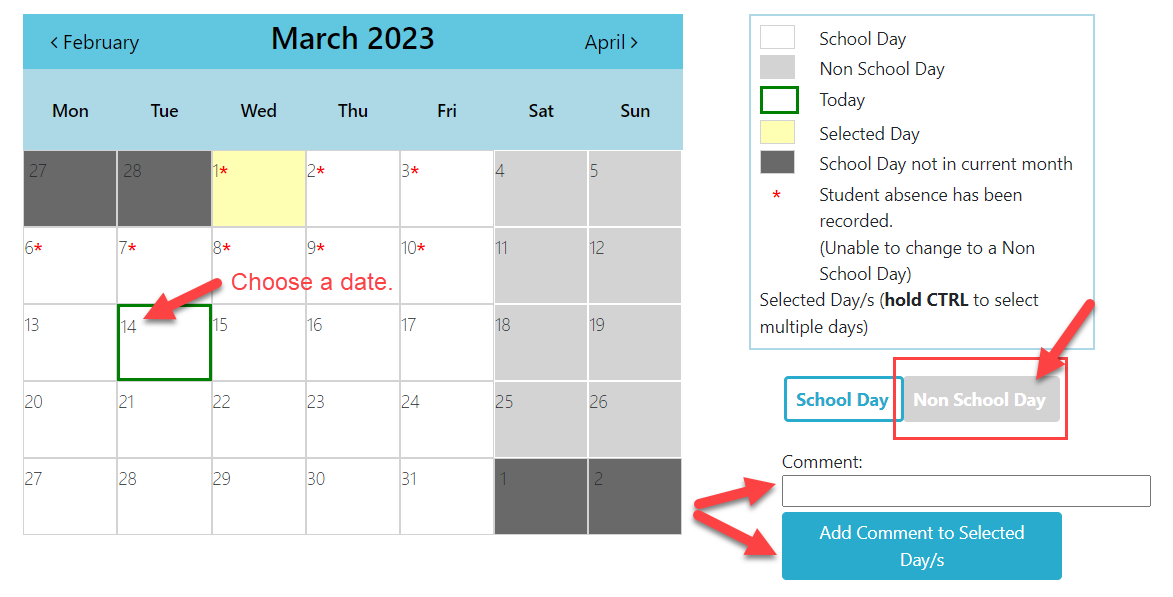
The day will then register as a closure day and teachers will not have to mark the roll. For individual year levels that have the day off, follow this document: Year Level Closure Days.
Was this article helpful?
That’s Great!
Thank you for your feedback
Sorry! We couldn't be helpful
Thank you for your feedback
Feedback sent
We appreciate your effort and will try to fix the article