If you have a new Principal at the school, please update in nForma. Updating the principal's name will then reflect on the student's reports.
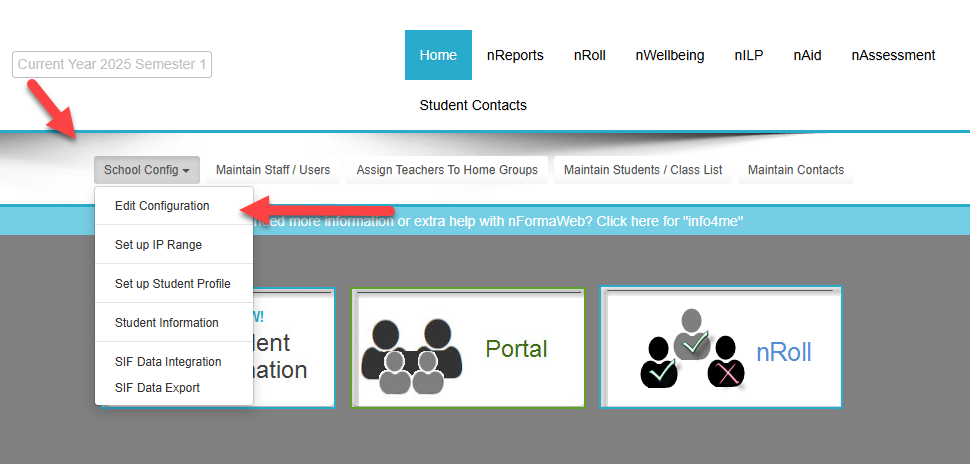
To update the Principal's name, go into "School Config" and "edit configuration". Once there, you can update the name by clicking the pencil icon at the bottom right.
Was this article helpful?
That’s Great!
Thank you for your feedback
Sorry! We couldn't be helpful
Thank you for your feedback
Feedback sent
We appreciate your effort and will try to fix the article