The new Daily Bulletin feature provides schools with a dedicated area for sharing important daily communications with staff.
Key Features:
- New Staff Bulletin feature for important daily staff communications.
- Bulletins can be targeted to staff/admin audiences.
- Supports school-specific and broader bulletin visibility.
- Bulletins can be pinned so important notices remain prominent.
- Multiple pinned bulletins can be displayed, with pinned items shown first.
- Displays who created the bulletin and the relevant school/scope.
- Read/unread tracking allows staff to clearly identify new bulletins.
- Supports recurring bulletin content.
- Designed as a prominent staff communication area rather than relying on email alone.
Accessing Daily Bulletins
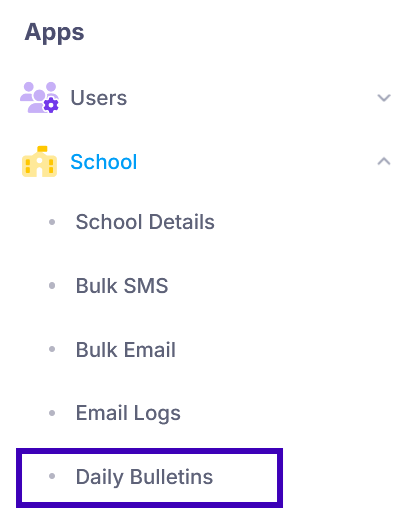
Portal Admins can access the Daily Bulletin feature by navigating to: Apps > School > Daily Bulletins
Schools can use Daily Bulletins to communicate important information to staff, such as staff leave, class changes, important announcements, or other daily updates.
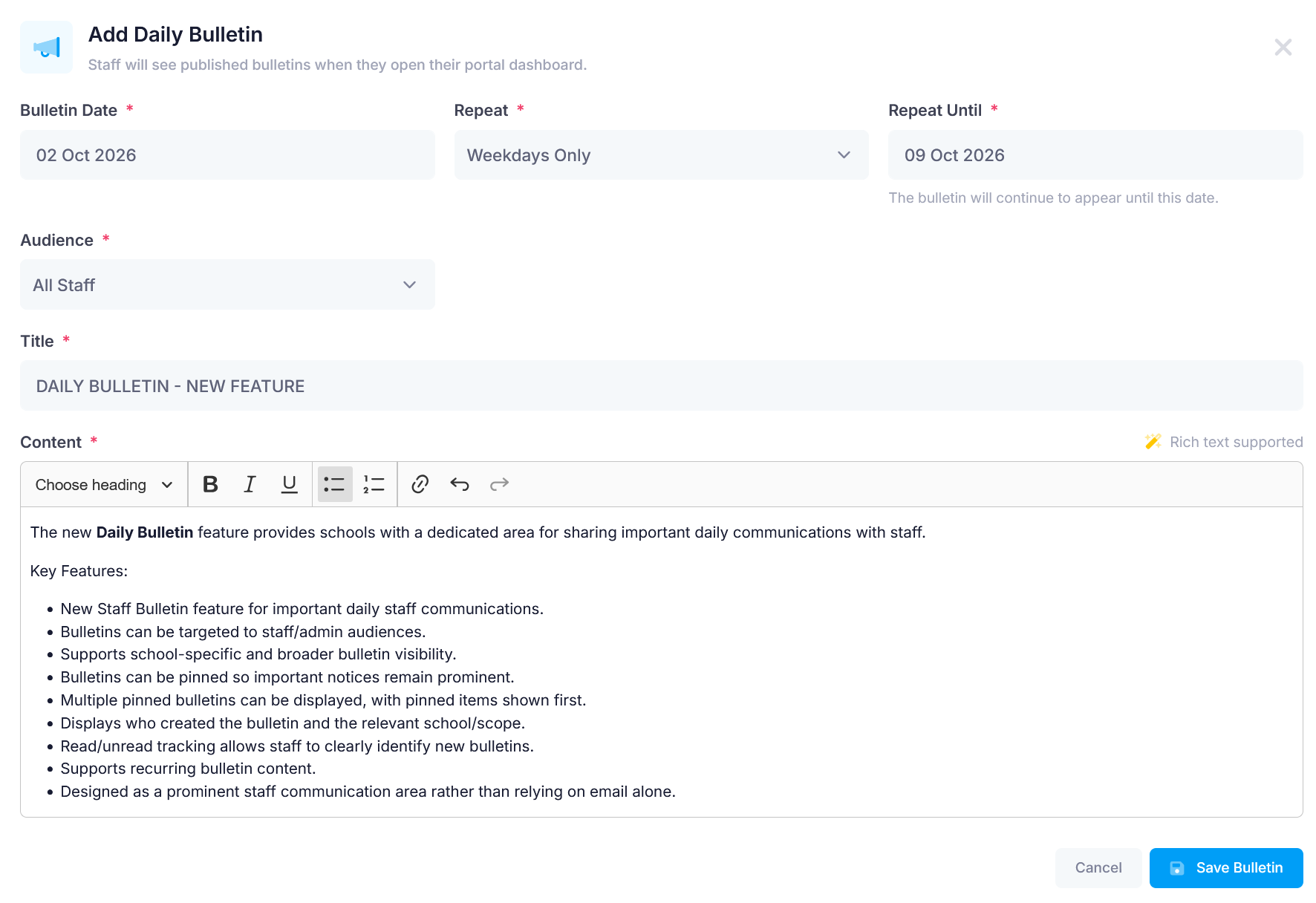
To create a new bulletin, select Add Bulletin:

School - Portal Admin can choose whether the bulletin should be recurring or a one-off bulletin, select the appropriate audience, and then save and publish it.
Bulletin Actions
Once a bulletin has been created, several actions are available. Schools can:
- View who has already read the bulletin.
- Edit the bulletin.
- Publish/Unpublish the bulletin.
- Delete the bulletin.
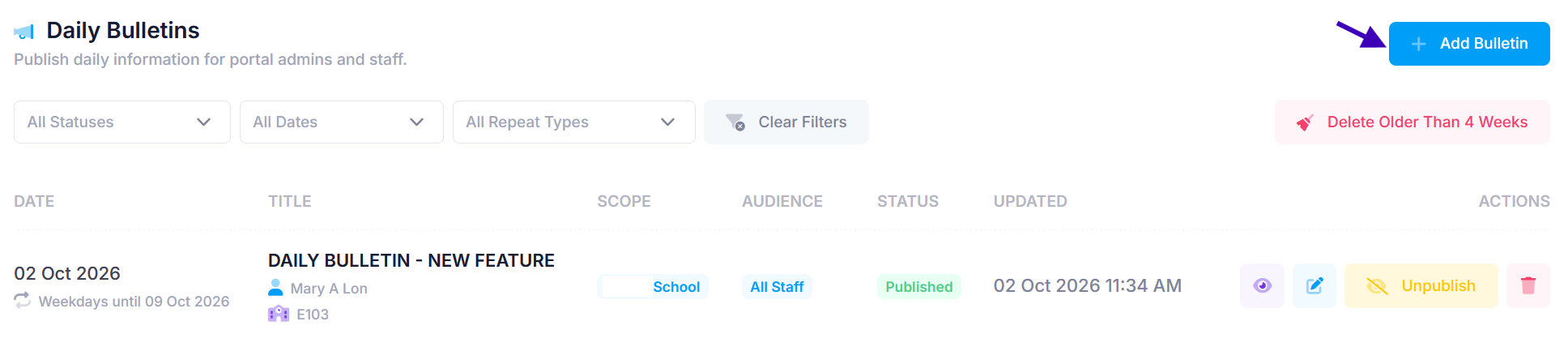
These options make it easier for schools to manage daily communications and monitor whether important information has been viewed by staff.
Bulletin View from Staff Account
When Staff log in to the portal:
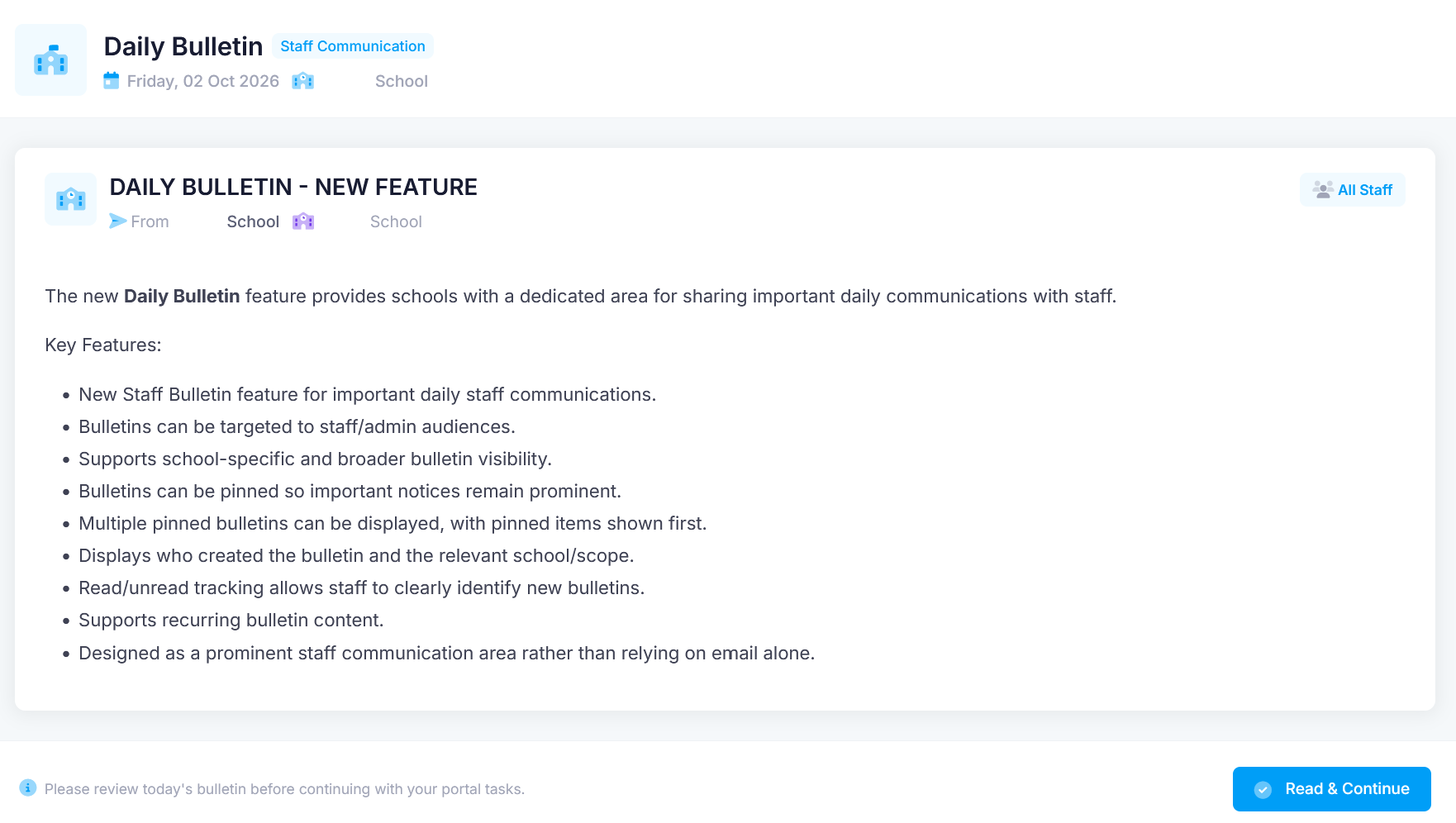
Staff can also access and read previous bulletins again at any time. They can find them by selecting their Profile in the upper-right corner of the screen > Daily Bulletin.
Please Note: When staff see the nForma logo on a bulletin, it means the bulletin has been published by the nForma Support Team.

Was this article helpful?
That’s Great!
Thank you for your feedback
Sorry! We couldn't be helpful
Thank you for your feedback
Feedback sent
We appreciate your effort and will try to fix the article