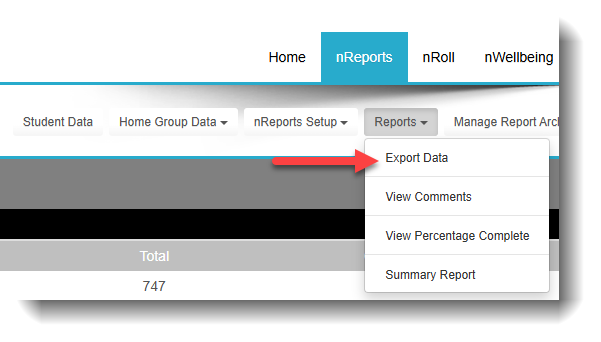
To download the scores achieved by students in any year/semester, go to:
nReports> Reports -> Export Data
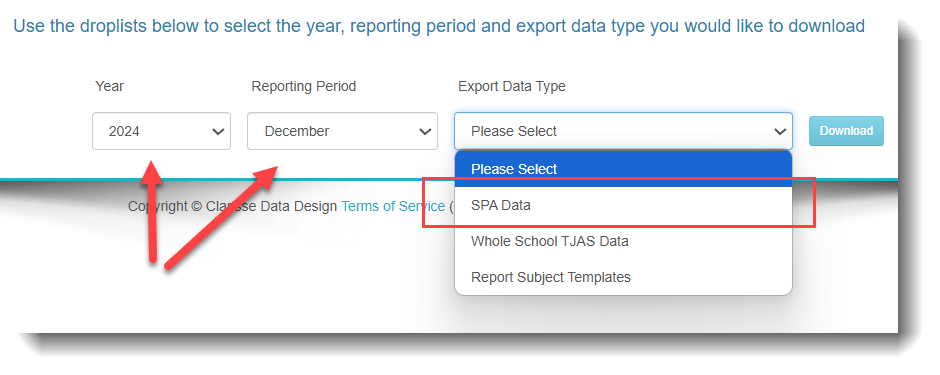
Select the year and semester and choose the SPA DATA option
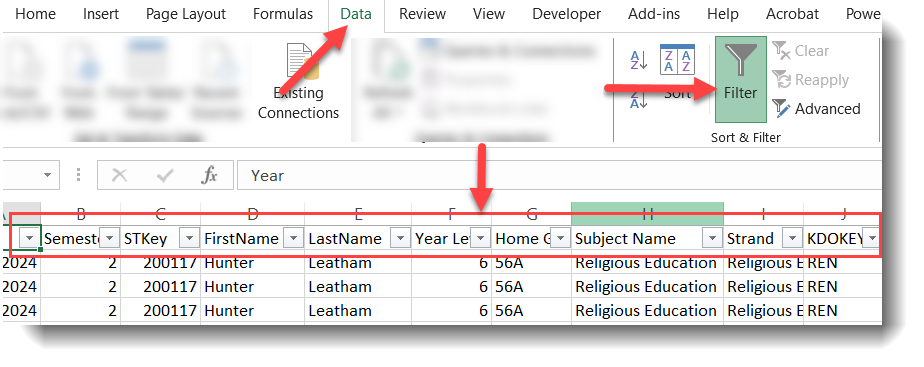
To make viewing of the data in the Excel file easier, apply the FILTER so that teachers can filter the data they require e.g. filter by Year Level, Name etc
Click on the DATA tab then the FILTER option.
Ensure you save the file as an EXCEL file NOT as CSV before sharing with your teachers, otherwise the FILTER option won’t be saved.
Was this article helpful?
That’s Great!
Thank you for your feedback
Sorry! We couldn't be helpful
Thank you for your feedback
Feedback sent
We appreciate your effort and will try to fix the article