- Login to nForma with admin rights
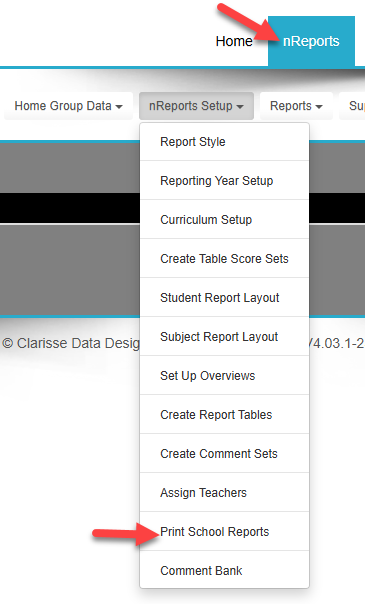
- Go to nReports from the HOME menu
- Click on the nReports Setup drop list and click on Print School Reports
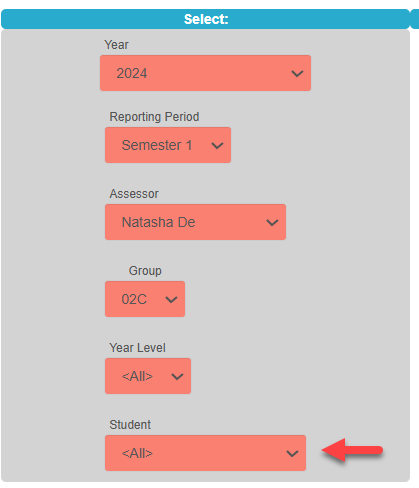
- On the far left, select the semester and year for the download. Ensure STUDENT selector is set to ALL
- On the far right, select from the Delivery Method> Download the ZIP file
- Click PRINT to start the download. Once the reports have been collated, a message will appear to indicate that the download has been completed.
- Check in your DOWNLOAD folder unless you were prompted to save it in a folder of your choice.
- The files will be zipped. Simply unzip the files.
- You can now copy the files to a server for your teachers to access or you may choose to print
Was this article helpful?
That’s Great!
Thank you for your feedback
Sorry! We couldn't be helpful
Thank you for your feedback
Feedback sent
We appreciate your effort and will try to fix the article