Yes, nMeets can be locked in order to prevent parents from booking and making changes when the teacher is not expecting it.
To lock an nMeet:
1. Go into the "nMeet" module.
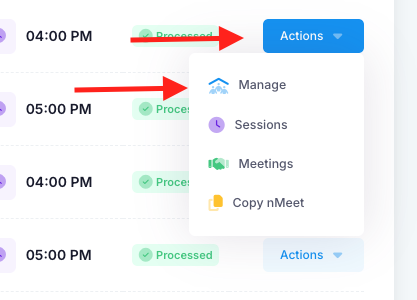
2. Find the nMeet and click "Actions" then "Manage".
3. Click the green "lock" button.
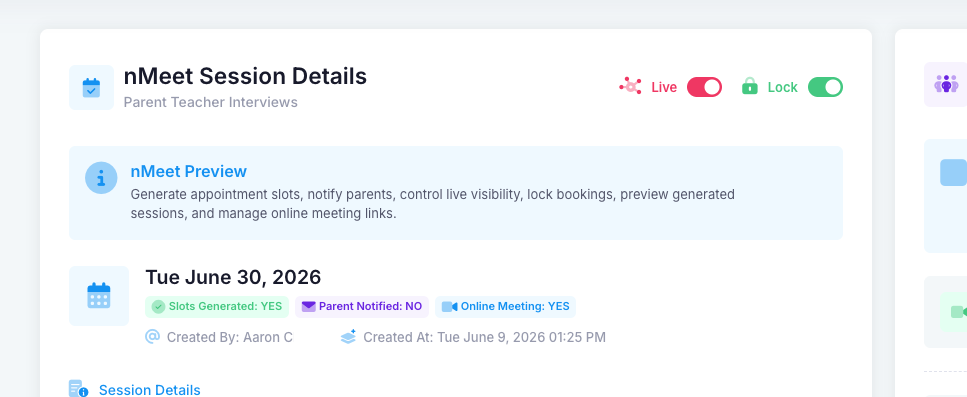
4. Parents will now not be able to book or make any changes to their booking without you unlocking it again.
Was this article helpful?
That’s Great!
Thank you for your feedback
Sorry! We couldn't be helpful
Thank you for your feedback
Feedback sent
We appreciate your effort and will try to fix the article