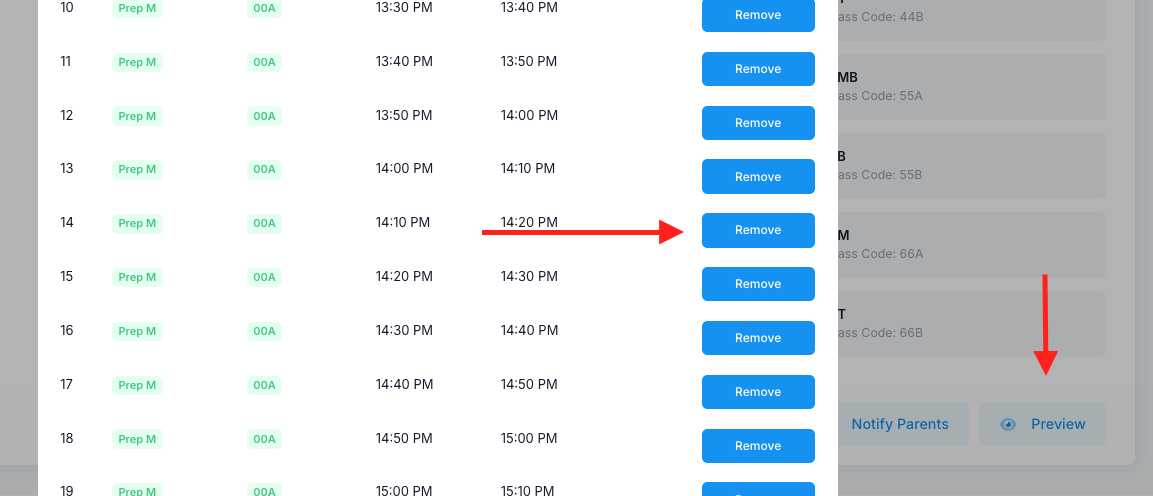
Yes, some nMeet sessions may go over a long period of time and may require multiple break times. When creating the nMeet session, put the main break in the break allocation area of the nMeet setup. Once done, submit the nMeet. You will now be presented with an overview of the nMeet. Click the red “Generate Sessions” button on the bottom right corner of the page. Confirm that and you will then see a red “Preview” button in the same area. Click on that and you will see all the sessions. You can now go in and select any sessions you want to “Remove”.
Was this article helpful?
That’s Great!
Thank you for your feedback
Sorry! We couldn't be helpful
Thank you for your feedback
Feedback sent
We appreciate your effort and will try to fix the article