Yes, bulk emails can be sent via the nForma portal. Please note that it is a no-reply email, so if responses are required, please put a return address in the body of the email.
To send a bulk email:
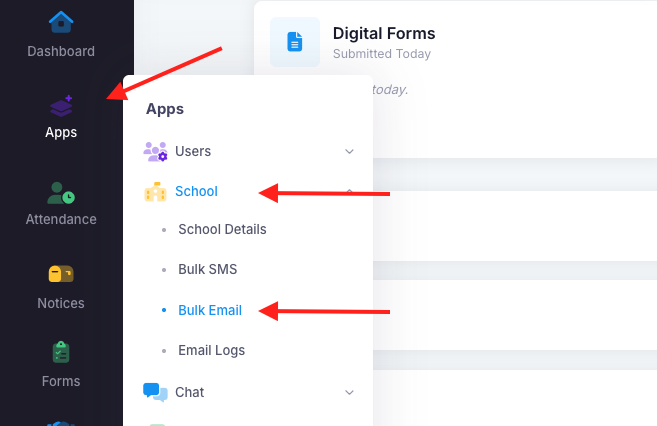
1. Go into "Apps", "School" then "Bulk Email".
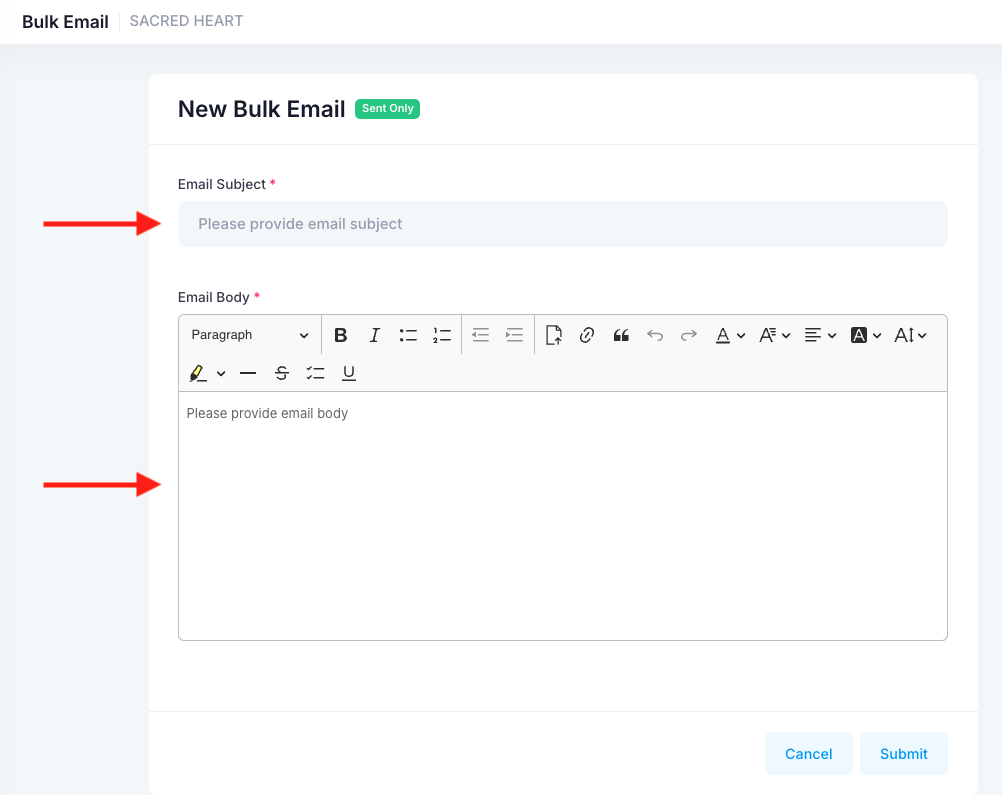
2. Add the email subject and the content in the body.
3. Select whether it will be sent to home groups or custom groups.
4. Once done, "Submit".
Was this article helpful?
That’s Great!
Thank you for your feedback
Sorry! We couldn't be helpful
Thank you for your feedback
Feedback sent
We appreciate your effort and will try to fix the article