To add a student who has just been added to a homegroup after the form was published:
1. Check that the new student is in the portal and in the correct homegroup. To do this, go into "Apps", "Users" then "students". Search for the student.
2. Go into the "Forms" module and find the form that needs changing.
3. Click on "Actions", "Edit" then "Save" the form. You should see a green pop up saying the "Form has been updated".
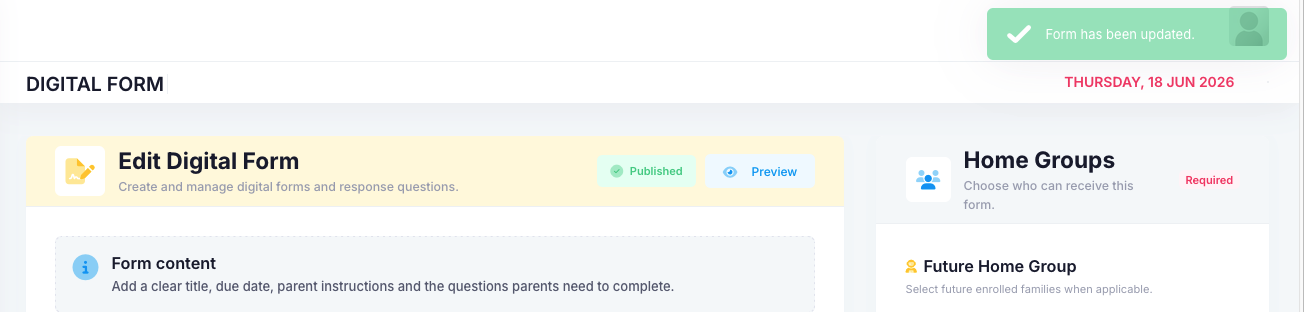
4. Go back to the Forms dashboard. Click on "Actions" then "Responses". You should then see the new student is part of the form.
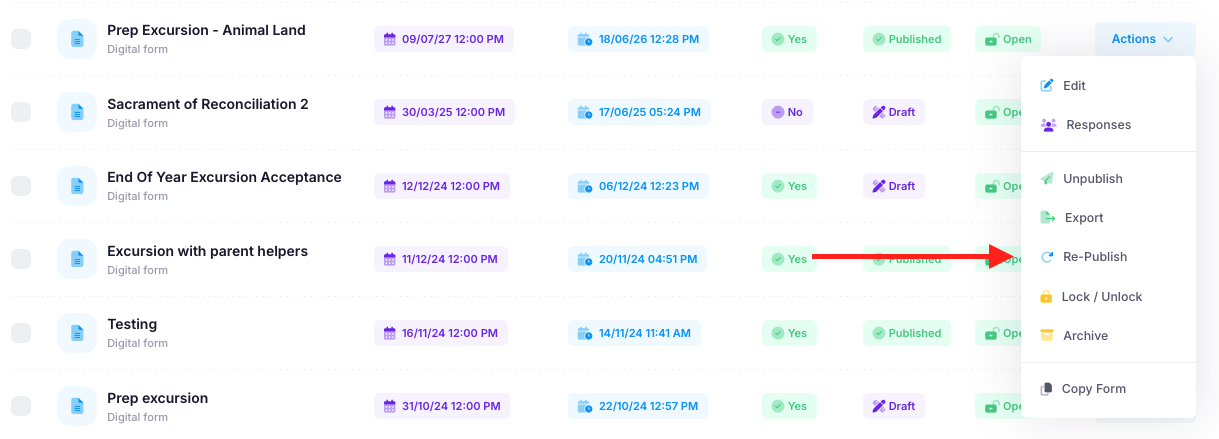
5. Finally, go back to the "Forms" dashboard, click on "Actions" and then "Re-Publish". This will then send out the initial email to the new student informing their parents that there is a new form that needs attending to.
Was this article helpful?
That’s Great!
Thank you for your feedback
Sorry! We couldn't be helpful
Thank you for your feedback
Feedback sent
We appreciate your effort and will try to fix the article