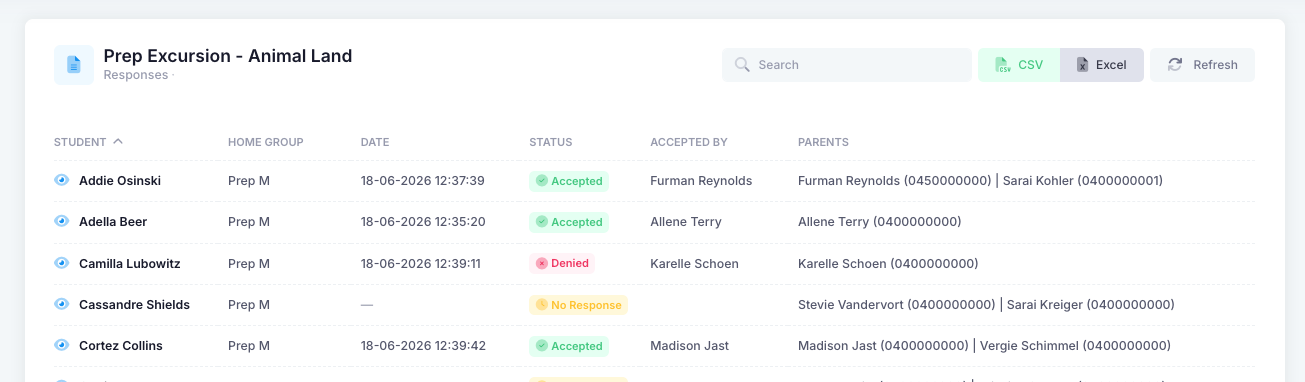
Yes you are able to export the responses to a form either as an excel document or as a CSV. To do this, select the “Actions” drop down for the related form and choose “Export”. You will now be presented with all the students assigned to that form in a more tabulated format. If you click on the “eye” icon on the left hand side, you will be able to view their responses to each question (short name). You can export the responses either by CSV or Excel via the buttons at the top of the page.
Was this article helpful?
That’s Great!
Thank you for your feedback
Sorry! We couldn't be helpful
Thank you for your feedback
Feedback sent
We appreciate your effort and will try to fix the article