1. Go to Assign Teachers to Home Groups
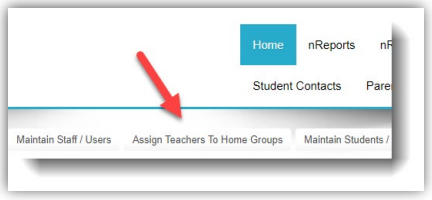
2. Verify the Year and Semester
3. In step 1, select the Home Group by clicking on the box on the left hand side. Step 2, select the teacher(s) by clicking on the "+" icon.
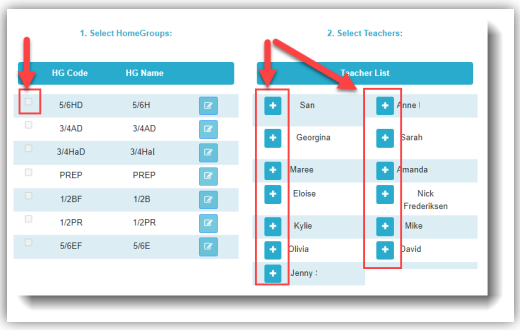
4. Click SAVE and proceed to the next Home Group teacher assignment

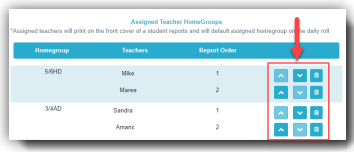
5. Use the icons to move the order of the teachers or remove them from the Home Group
Do not assign specialist teachers
Was this article helpful?
That’s Great!
Thank you for your feedback
Sorry! We couldn't be helpful
Thank you for your feedback
Feedback sent
We appreciate your effort and will try to fix the article