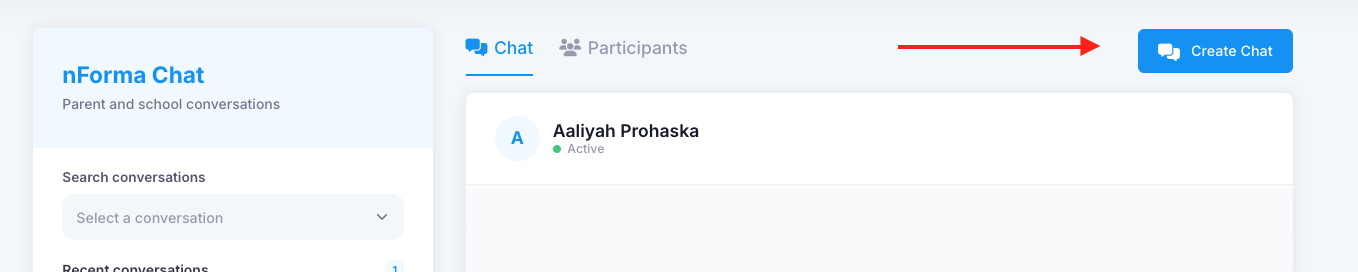
Yes, you can create multiple types of group chats; however, group chats can only be created on the desktop, not in the app. To create a group chat, go to the Chat module, click the "Create Chat" button, and then select the "Create Space" option.
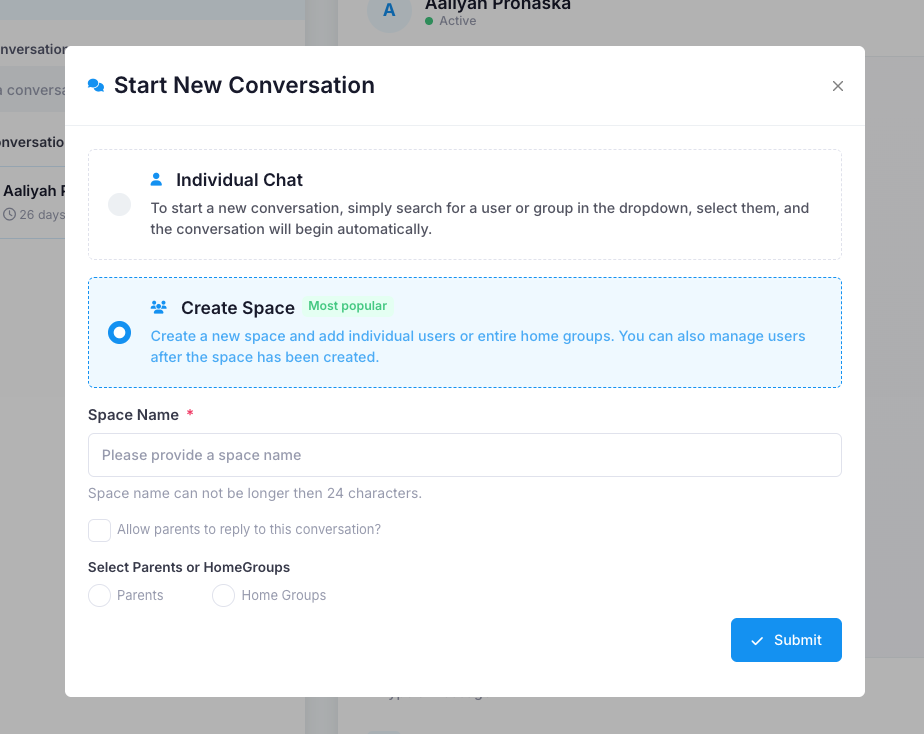
Fill in the details related to the group. Add a group chat name and choose whether you'd like parents to be able to respond in the group. You can create a group based on your school’s home groups or manually select the parents you'd like to include. Once you're done, click "Submit".
You will be able to start messaging in the group chat immediately.
Was this article helpful?
That’s Great!
Thank you for your feedback
Sorry! We couldn't be helpful
Thank you for your feedback
Feedback sent
We appreciate your effort and will try to fix the article