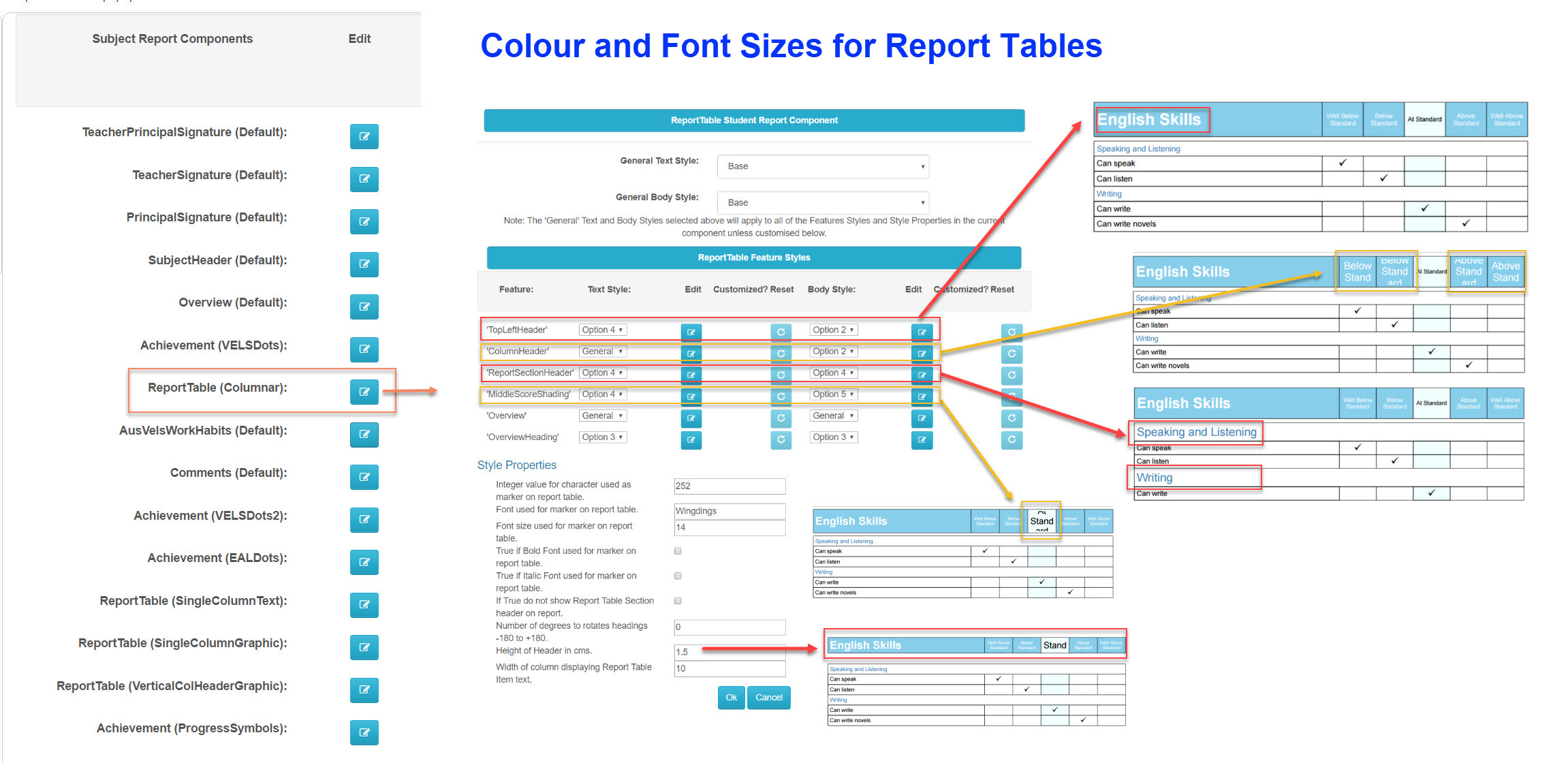
Go into "nReports Setup" then "Reports Style". Find the "Report Components Styles" section and in there, find "ReportTable (Columnar)" and edit. In there, you can cahnge your Report Tables styling, e.g Colour, Font sizes, etc.
Was this article helpful?
That’s Great!
Thank you for your feedback
Sorry! We couldn't be helpful
Thank you for your feedback
Feedback sent
We appreciate your effort and will try to fix the article