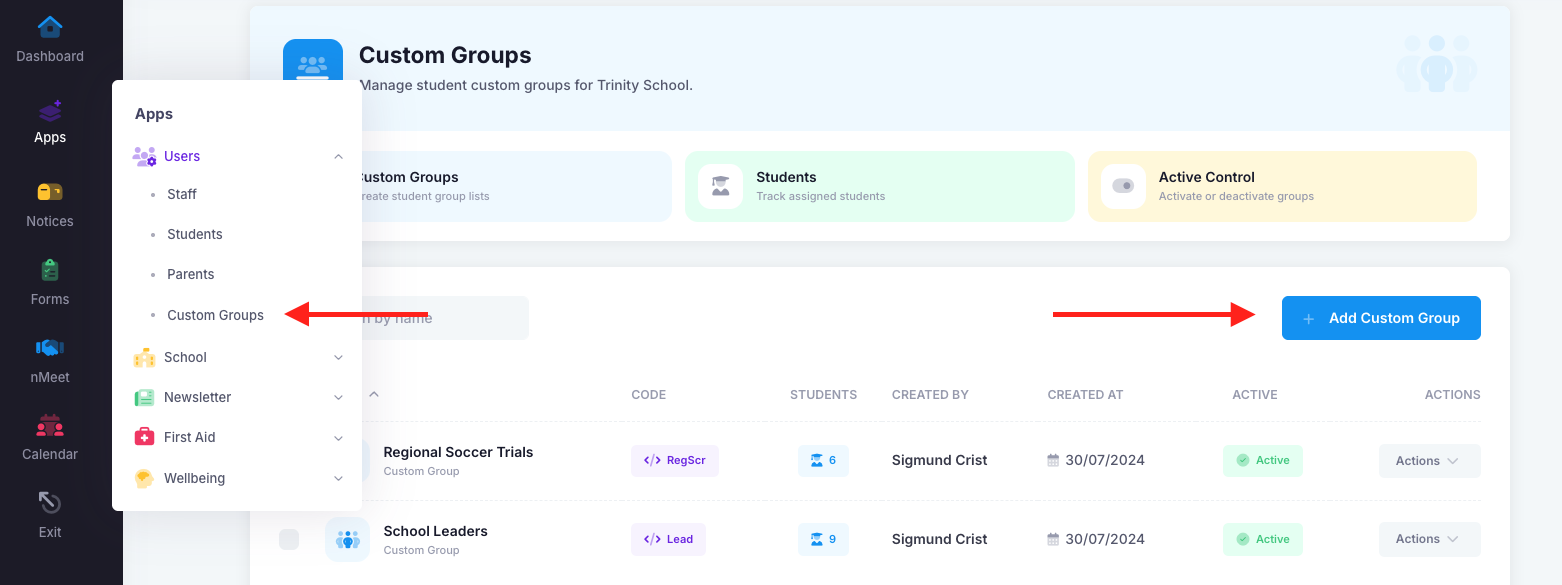
Creating a custom group is very easy. Simply go into "Apps", "Users" and then "Custom Groups". Once there, click the blue "Add Custom Group" button.
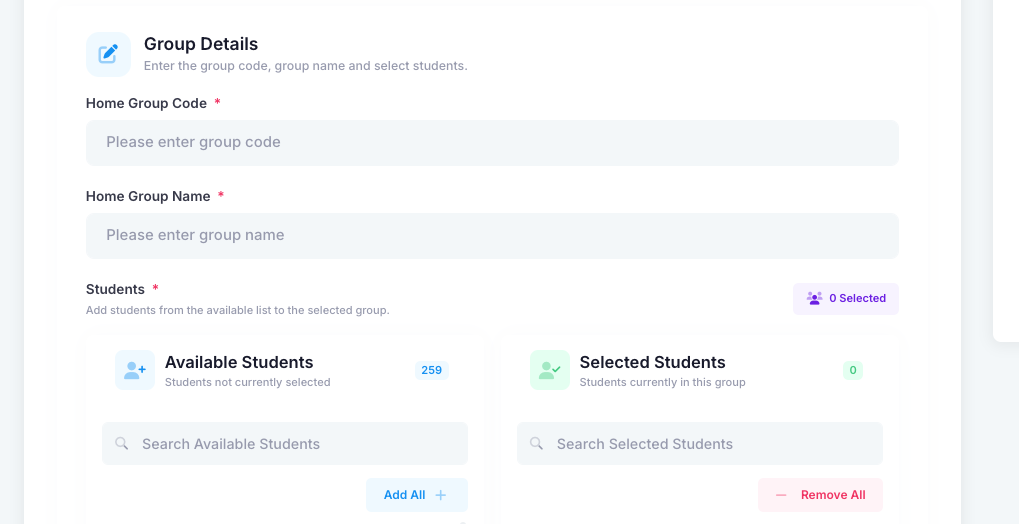
Once there, add a name and a code that will display on the Notice and Forms page. Add the students and submit.
Was this article helpful?
That’s Great!
Thank you for your feedback
Sorry! We couldn't be helpful
Thank you for your feedback
Feedback sent
We appreciate your effort and will try to fix the article