Yes, notices archive after a set amount of days (default 60 days). To change the amount of archive days, you will need to go into “School details” and “edit school”. You can then set the archive days to what suits your school best.
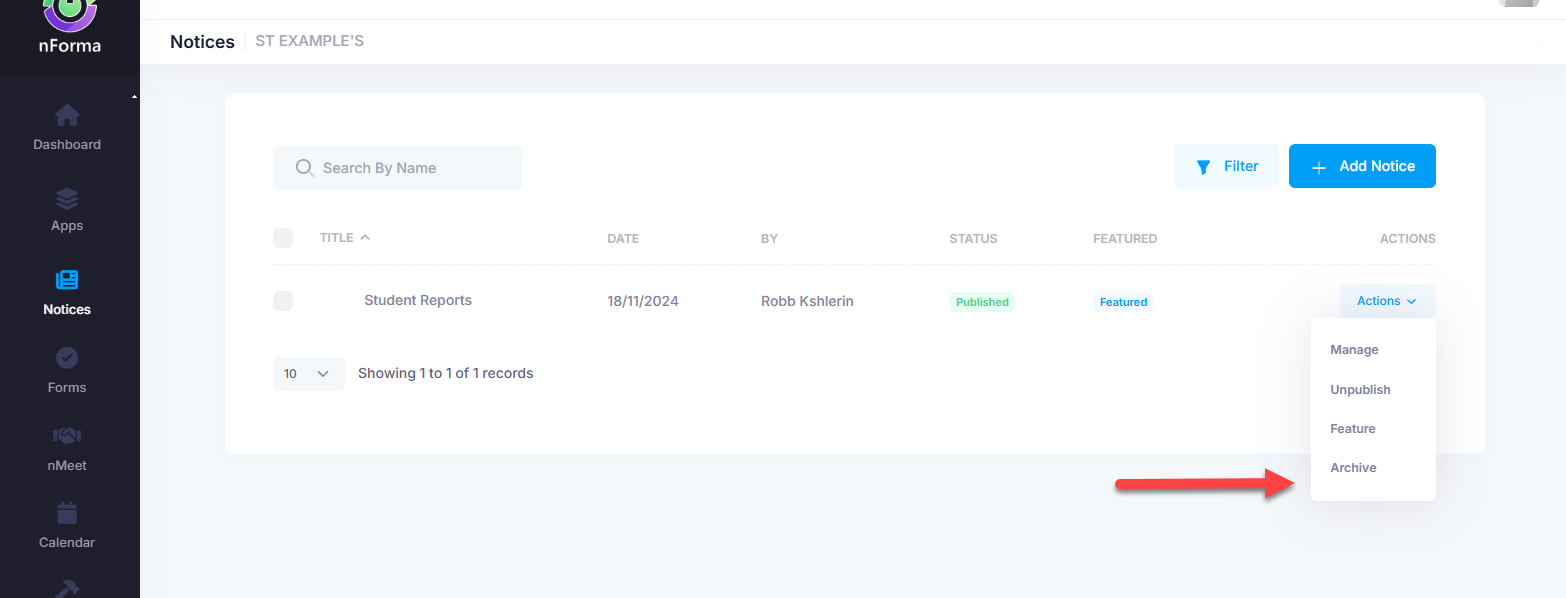
You can also manually archive a notice. To do this, go into the "Notices" module and "Maintain Notices". Find the notice you wish to archive and click on "Actions" and "Archive".
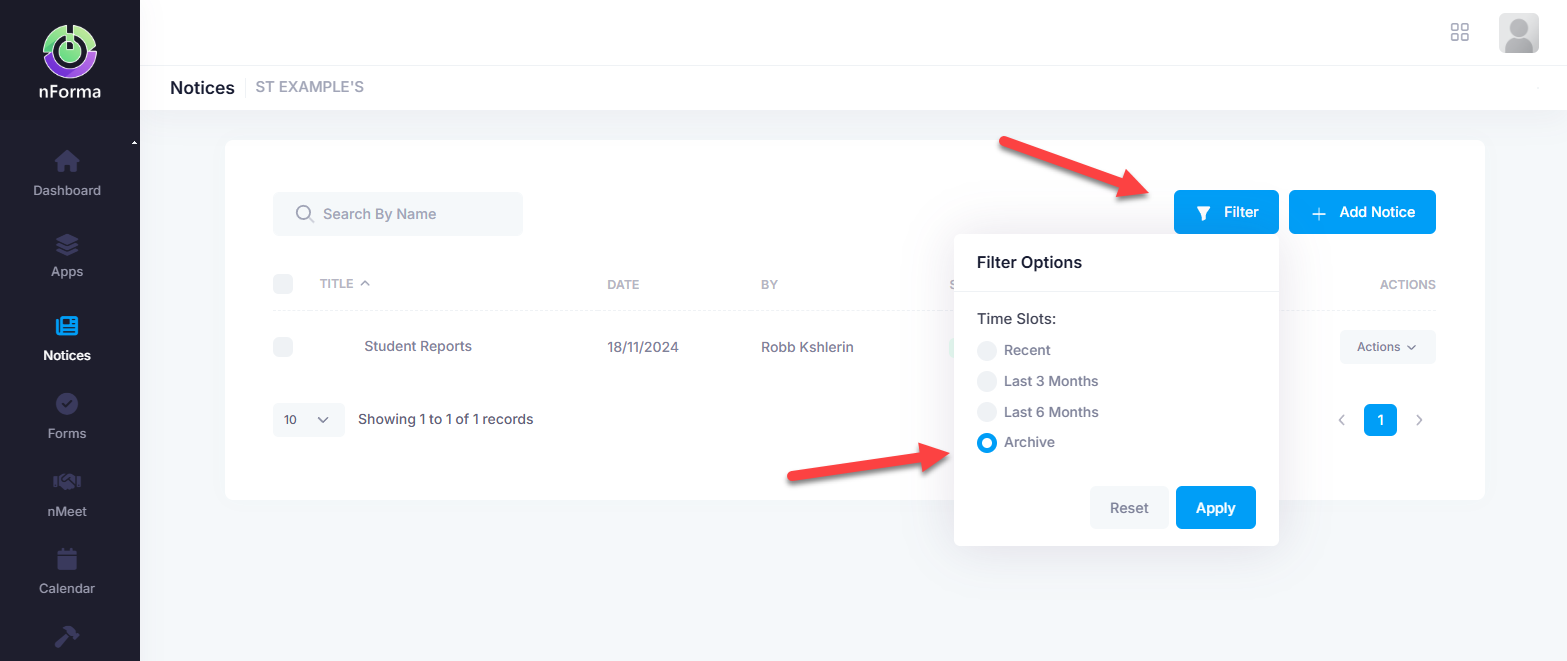
To unarchive a notice, go into "Filter" and select "Archive". Find the notice you wish to archive and click on "Actions" and "Unarchive".
Was this article helpful?
That’s Great!
Thank you for your feedback
Sorry! We couldn't be helpful
Thank you for your feedback
Feedback sent
We appreciate your effort and will try to fix the article