To enable staff sign in via the Kiosk, follow these steps:
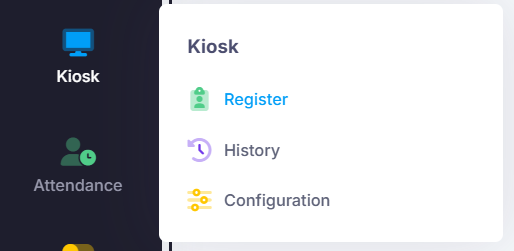
Go to Kiosk > Configuration.
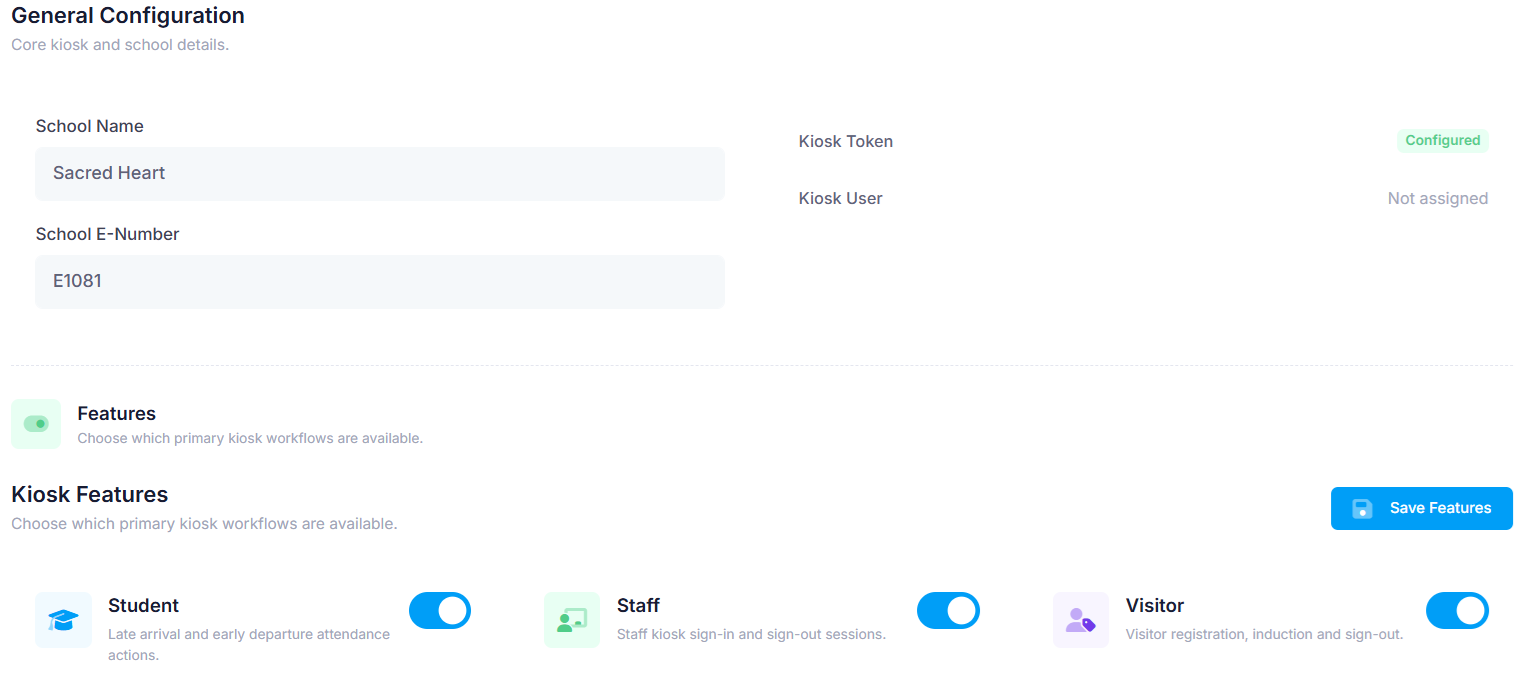
Under the General tab, scroll down to ‘Features’.
Make sure ‘Visitor’ is enabled.
Save if changes have been made.
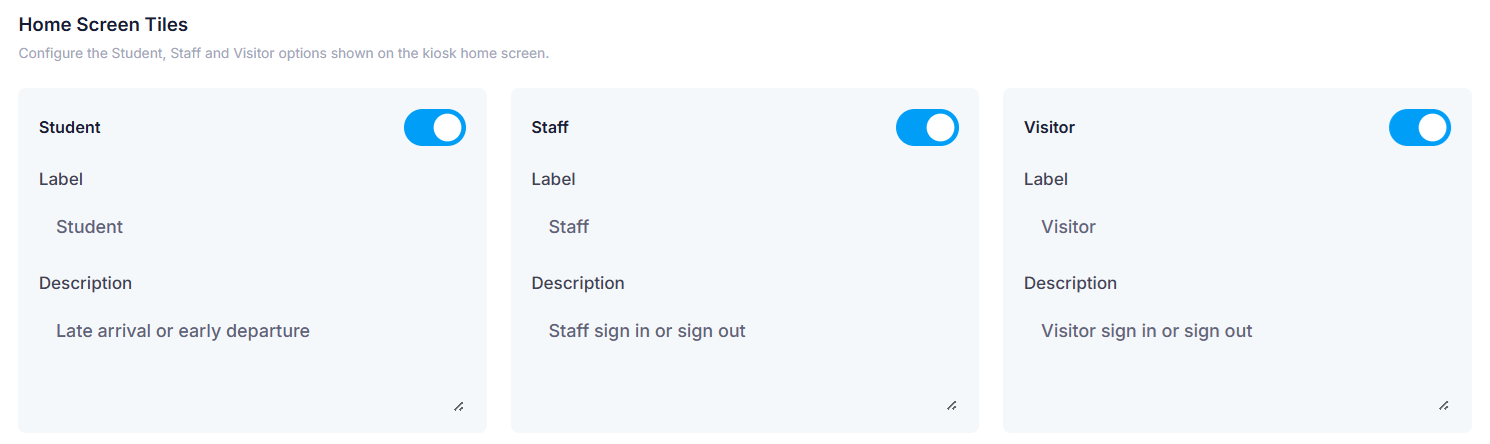
Still under the General tab, scroll down to ‘Home Screen Tiles’.
Make sure ‘Visitor’ is enabled.
Save if changes have been made.
Was this article helpful?
That’s Great!
Thank you for your feedback
Sorry! We couldn't be helpful
Thank you for your feedback
Feedback sent
We appreciate your effort and will try to fix the article