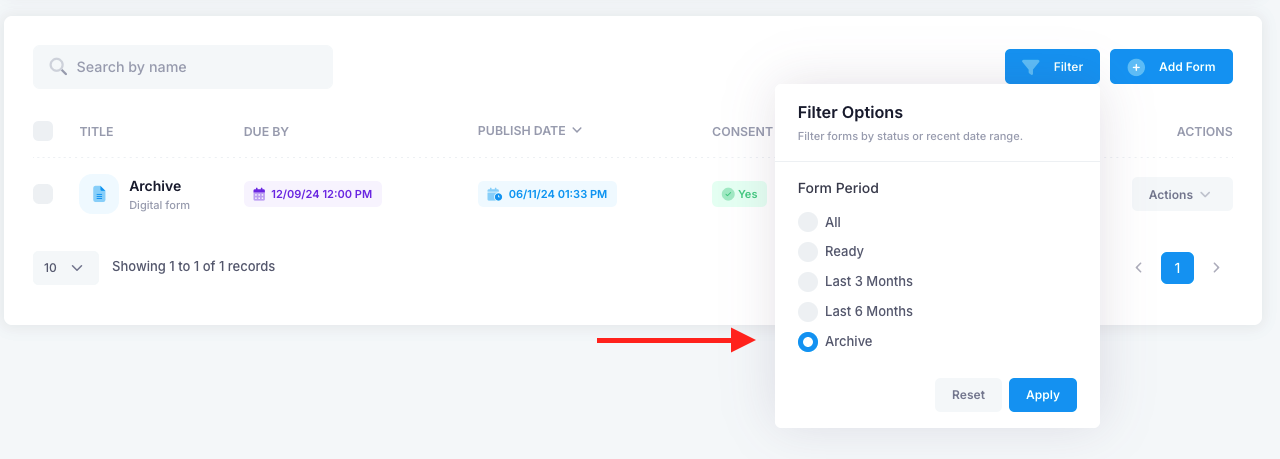
To view an archived form, go into the Forms module and click on the blue “Filter” button and select “Archive”. You will now be presented with all archived forms. If you want to unarchive a form, click on the “Actions” button and “Unarchive” it.
Was this article helpful?
That’s Great!
Thank you for your feedback
Sorry! We couldn't be helpful
Thank you for your feedback
Feedback sent
We appreciate your effort and will try to fix the article