Prior to using the First Aid module, you will need to populate your activity types. These can be lunch time, recess, after school, etc. for example. Activity types are different for all schools, hence, it is better that you populate them to make it better suited to your school.
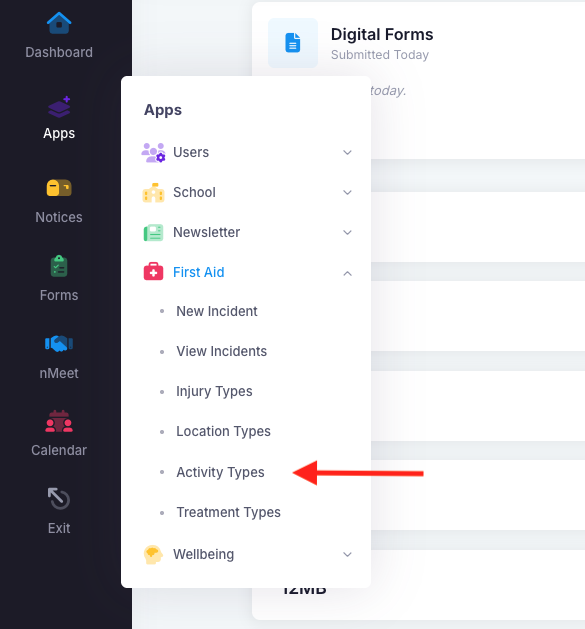
To add activity types, go into "Apps", "First Aid" and then "Activity Types". There will be a blue "Add Activity Types" button at the top right of the page.
You can add some of these activity types to get you started.
- Lunch time
- Recess
- Excursion
- Class time
- Before school
- After school
Was this article helpful?
That’s Great!
Thank you for your feedback
Sorry! We couldn't be helpful
Thank you for your feedback
Feedback sent
We appreciate your effort and will try to fix the article