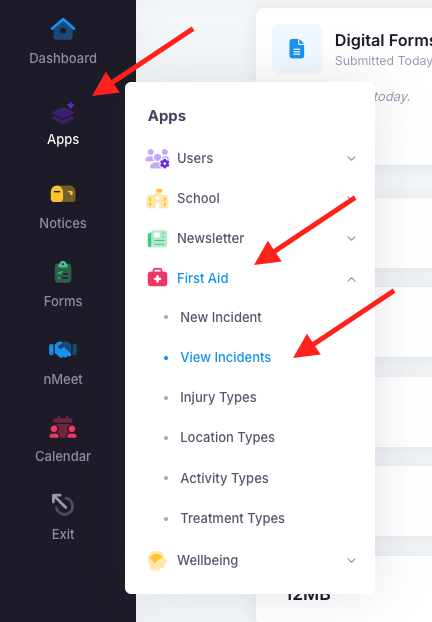
To delete a First Aid report, go into "Apps", "First Aid" then "View Incidents".
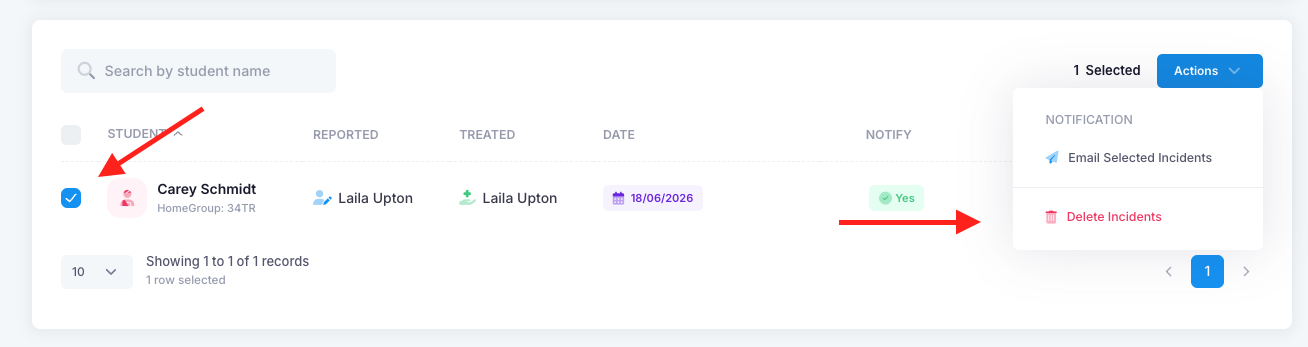
Tick the checkbox next to their name on the left, you will then see a blue "Actions" button appear on the top right of the page. Click on "Actions" and then "Delete Incidents".
It will ask for a confirmation, click yes and then that report will be deleted.
Was this article helpful?
That’s Great!
Thank you for your feedback
Sorry! We couldn't be helpful
Thank you for your feedback
Feedback sent
We appreciate your effort and will try to fix the article